Dear Metas,
We will perform server maintenance and an update on November 18, 2026, 3:00 PM (PT). Due to data center relocation, the maintenance is expected to last 3.5 hours for South America regions, and 2 hours for other regions. Please manage your time wisely.
This update introduces Visional Wheel S5: Dissonant Resonance, combat balance adjustments, the limited-time Lightforge Legacy redemption event, Shop returns.
The update size is approximately 3.21 GB on PC launchers, 214 MB on the PC client (NOTE: If the update is delayed on Steam, it may be downloaded more than once), 600 MB on Android, and 615 MB on iOS (actual size may differ). We recommend downloading the update over Wi-Fi.
After this maintenance, all players will receive the following rewards: Starchrom ×1,000, Mitsuko's Mark ×100, Stardust Secret Crate: S15 (Epic) ×1, and Colorful Badge ×30!
The next update is scheduled for December 2, 2026, at 3:00 PM (PT). Please take note of the time, Metas.
Below are the details of this update:
Content/Feature Updates
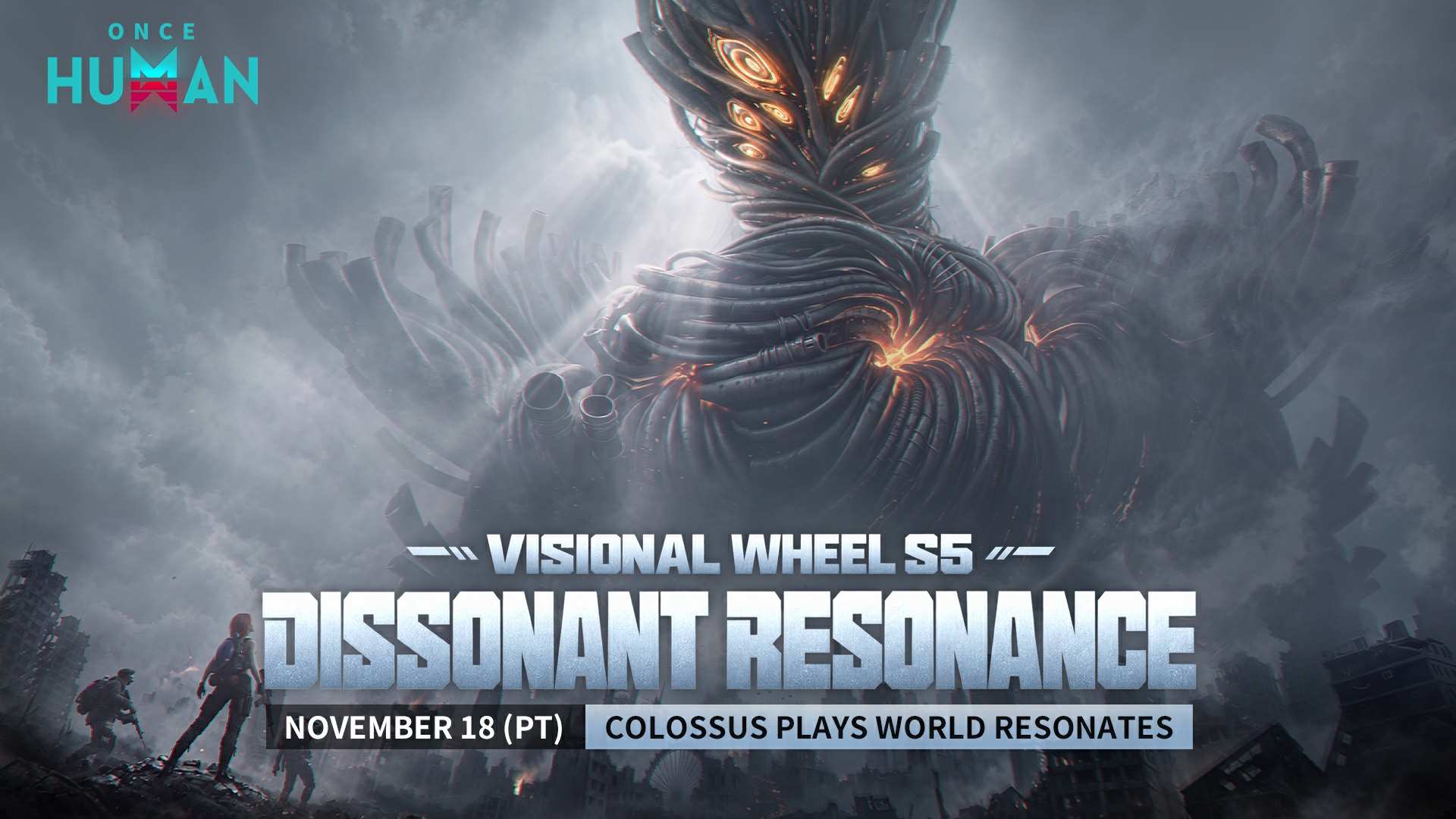
Visional Wheel S5: Dissonant Resonance Has Descended
Deep in the Nova, a colossal face gazes down upon the earth. A strange frequency drifts through the ruins, weaving joy, fury, sorrow, and fear into a single symphony. It is not a blessing for this world, but the final movement of destruction that the new Great One, "The Echo", seeks to compose.
The Visional Wheel turns once more. This time, the clues to fighting the Vision are hidden within scattered notes. Defeat the Deviants twisted by the power of these notes, rearrange and purify the fragmented scores, and turn the enemy's power into your own melody. When the colossal face in the sky casts its gaze upon you, brave Metas will answer this "performance" from the unknown in their own way.
Opening Time
Opens after the November 18, 2026 version update (PT)
Affected Scenarios:
Manibus (excluding Novice Scenario), Evolution's Call, Prismverse's Clash, The Way of Winter, Endless Dream, Deviation: Survive, Capture, Preserve, and Isles of Abyss. Metas can switch to the "Vision" world via the Worldstone to experience it.
S5 New Game Mode
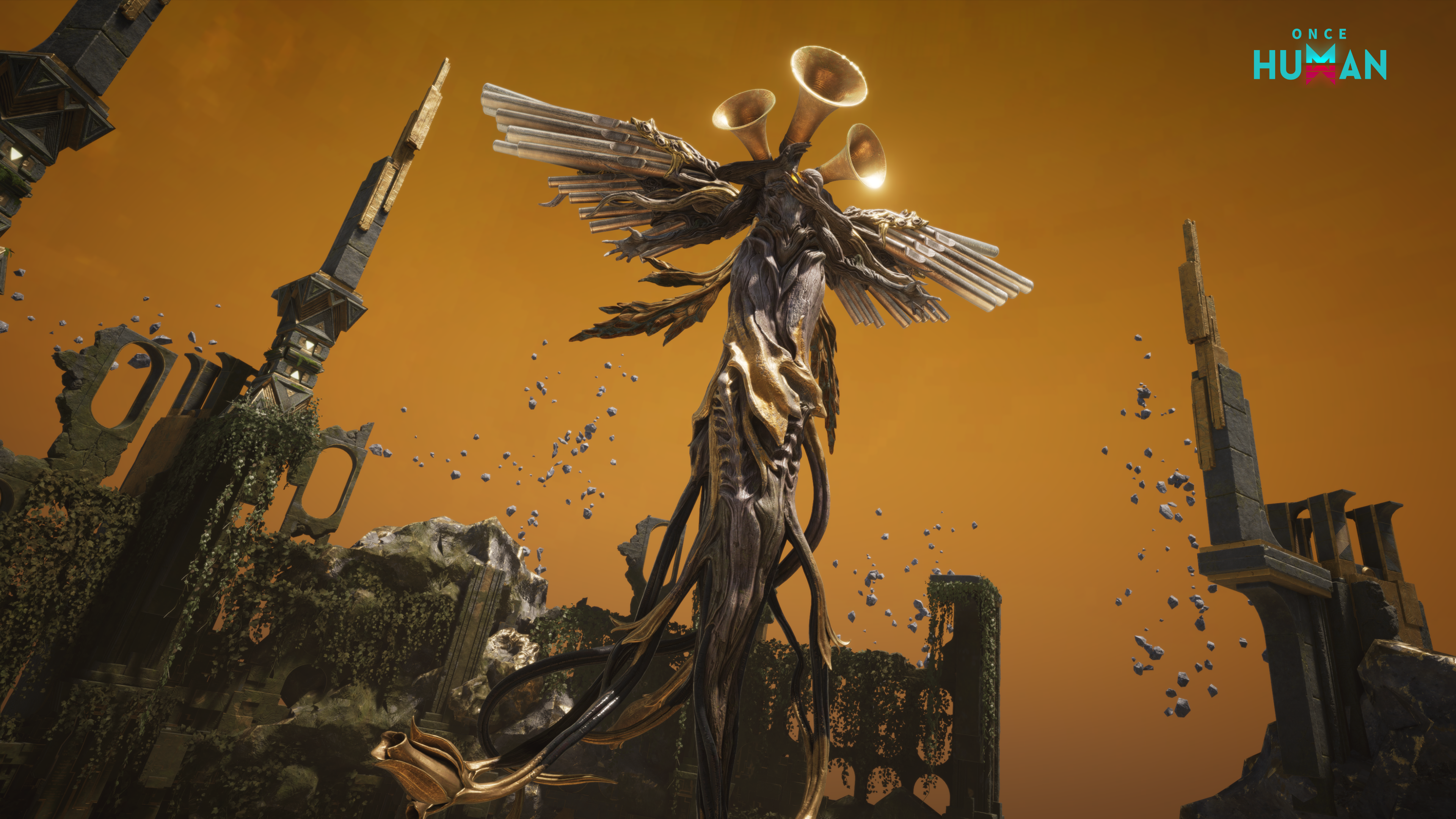
Game Mode 1 - Resonant Movements: Use your reticle to pick up notes and get the melody back in order.
1. Ring the Echo Bell to start your movement
While the Vision is active, four types of Resonant Movement areas will appear across the Nalcott: Movement of Delight, Movement of Wrath, Movement of Lament, and Movement of Terror. Each movement area has its own difficulty and rules.
Once inside an area, interact with the [Echo Bell] to start the movement challenge. You will then receive an untuned score.
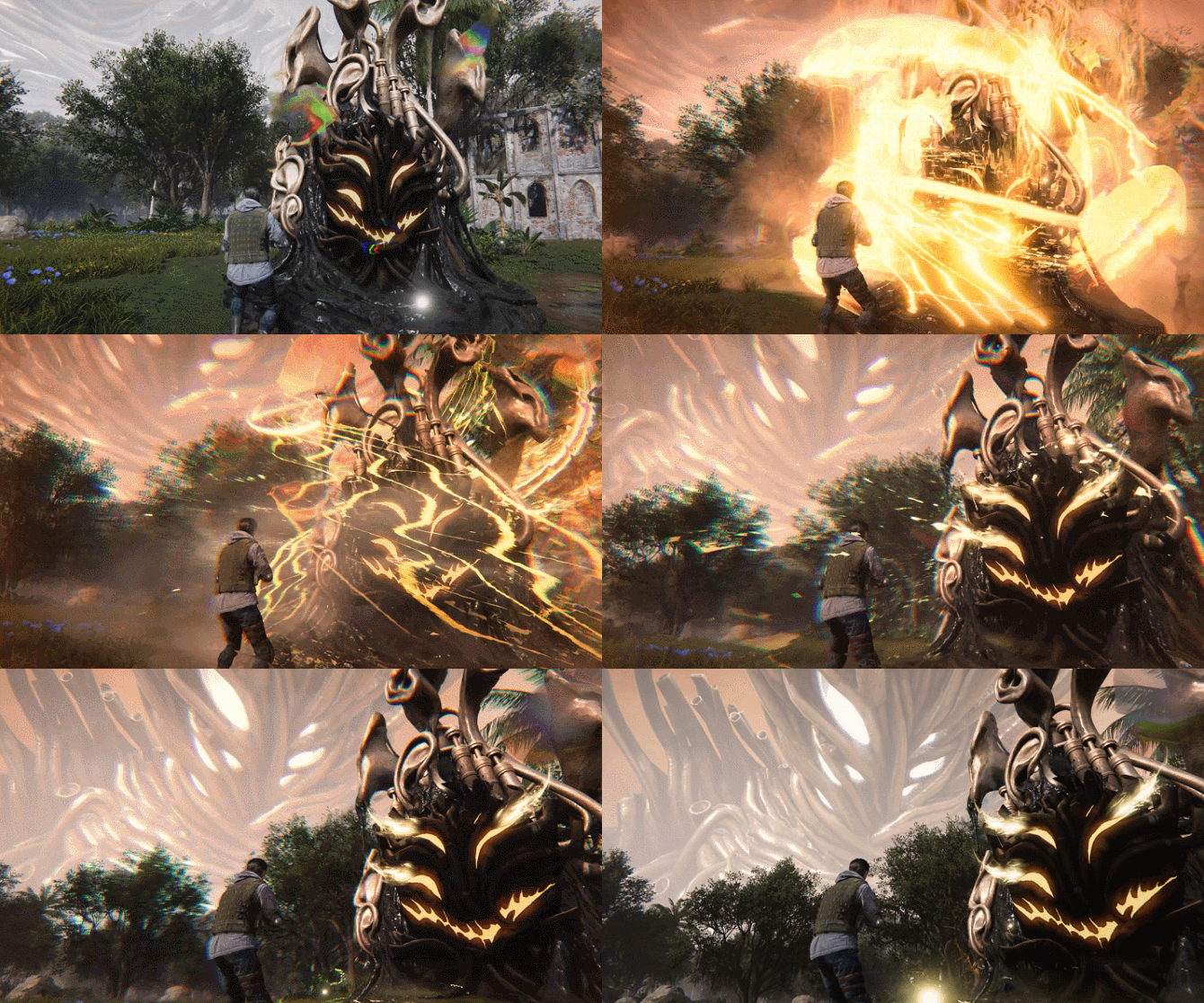
2. Defeat the Dissonant Army and Tune the Score
Defeat Dissonant Army carrying notes to make those notes appear in the area. Following the prompts on your current score, shoot the required notes in sequence to fill it in.
The notes will remain in the area for a short time and will flash a warning right before they vanish. With different notes appearing at once, identifying and picking the right one is just as important as how fast you can kill enemies.
Each Meta collects their own notes and progresses their own score. Shooting a note won't steal it from others. You can clear enemies together, then each complete your own melody.
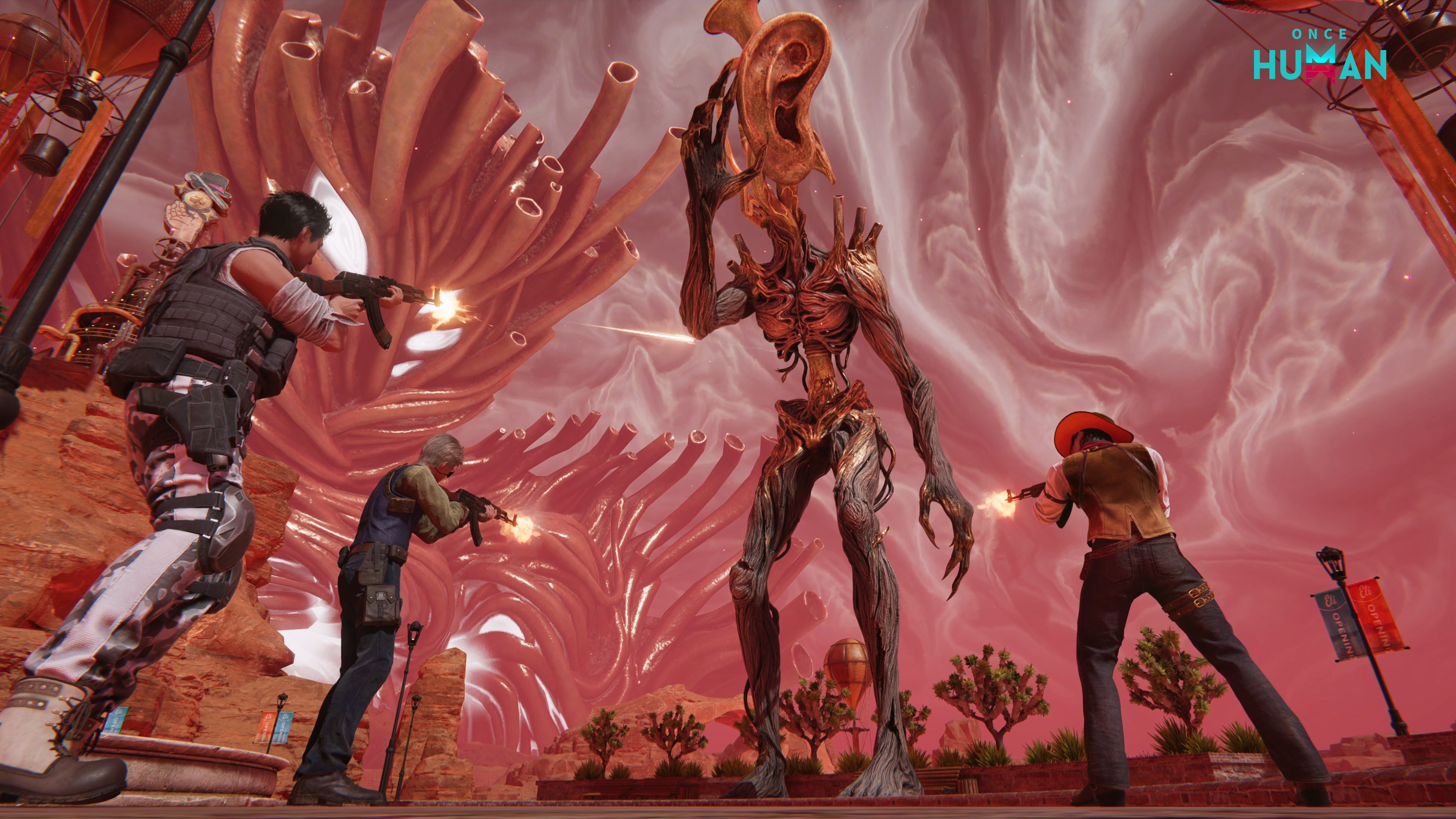
3. Defend Your Score Progress and Complete the Final Signature
Complete each line of the score to earn phase rewards. As the empty spaces are gradually filled in, the originally dissonant movement will become whole again.
As the battle reaches its climax, the Dissonant Emissary carrying the Movement Signature will become a foe you must face. It is the key to completing the entire movement, and an extension of The Echo's will within this sound domain.
If you win the battle and fully complete your personal score, you will receive a Legendary Movement. Use it to listen to the complete piece and claim your rewards. If you win the battle but haven't finished your personal score, you will receive a Fragmented Movement and claim a smaller set of rewards.
Game Mode 2 - The Echo War: Face The Echo in Nova
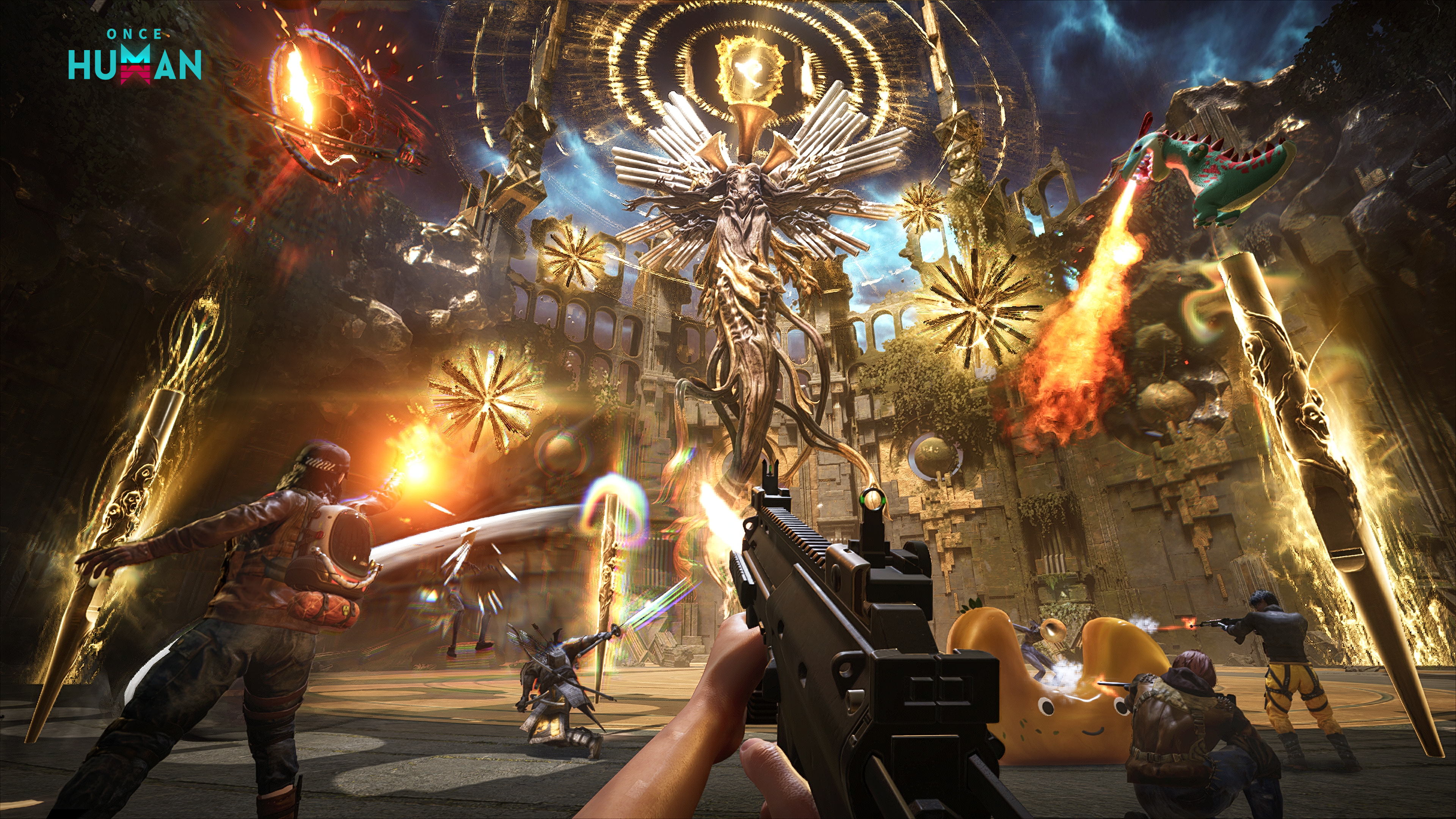
15 minutes after the Vision begins, The Echo will descend upon Nalcott in an avatar form. Metas can enter the Echo War via The Echo's portal shown on the map.
The Echo War is a standalone dungeon that supports up to 4 players in a squad. Please make sure you're fully prepared before entering. It also comes in Basic and Hard difficulties—be sure to pick the one that suits you best.
The Echo has a variety of attacks—such as sound wave attacks, summoning minions, large-scale shockwaves, and more. You'll need to watch for battlefield prompts, use environmental interactables to handle threats, and focus your fire when The Echo exposes its weak point. Dealing with distractions, responding to mechanics, and unloading your firepower during key windows of opportunity are all crucial to this fight.
S5 Game Mode Rewards
1. Dissonant Dust
Used to open Resonance Boxes, and can also be used to redeem certain items in the Visional Redemption Shop.
Metas can obtain Dissonant Dust through Vision-related game modes such as Resonant Movements and The Echo War, as well as the Visional Wheel event. This item has a weekly acquisition cap; once the cap is reached, the acquisition rate will decrease.
2. Resonance Box
Comes in three rarities: Epic, Legendary, and Mythic. The higher the rarity, the more precious the rewards. Opening a Resonance Box guarantees Divine Rhythm, though the exact amount varies. There is also a chance to obtain rare rewards such as precious Mods and high-level Morphed Deviations.
Metas can also consume different amounts of [Dissonant Dust] for different levels of resonance. Among them, [Deep Resonance] has a chance to grant double rewards!
3. Divine Rhythm
An exclusive item obtained when opening Resonance Boxes. After collecting Divine Rhythm, you can visit Event - Visional Redemption - Redeem Shop to redeem precious rewards such as Lightforge Ingots, selected Shop Fashion/Furniture/Weapon Skins, Shiny Mods, top-tier Deviations, and more.
4. Special Vision Shop Adjustments for This Season
To meet Metas' redemption needs, this season's Visional Redemption Shop will add limited redemption opportunities for select past Visional Mod Crates.
New Deviations
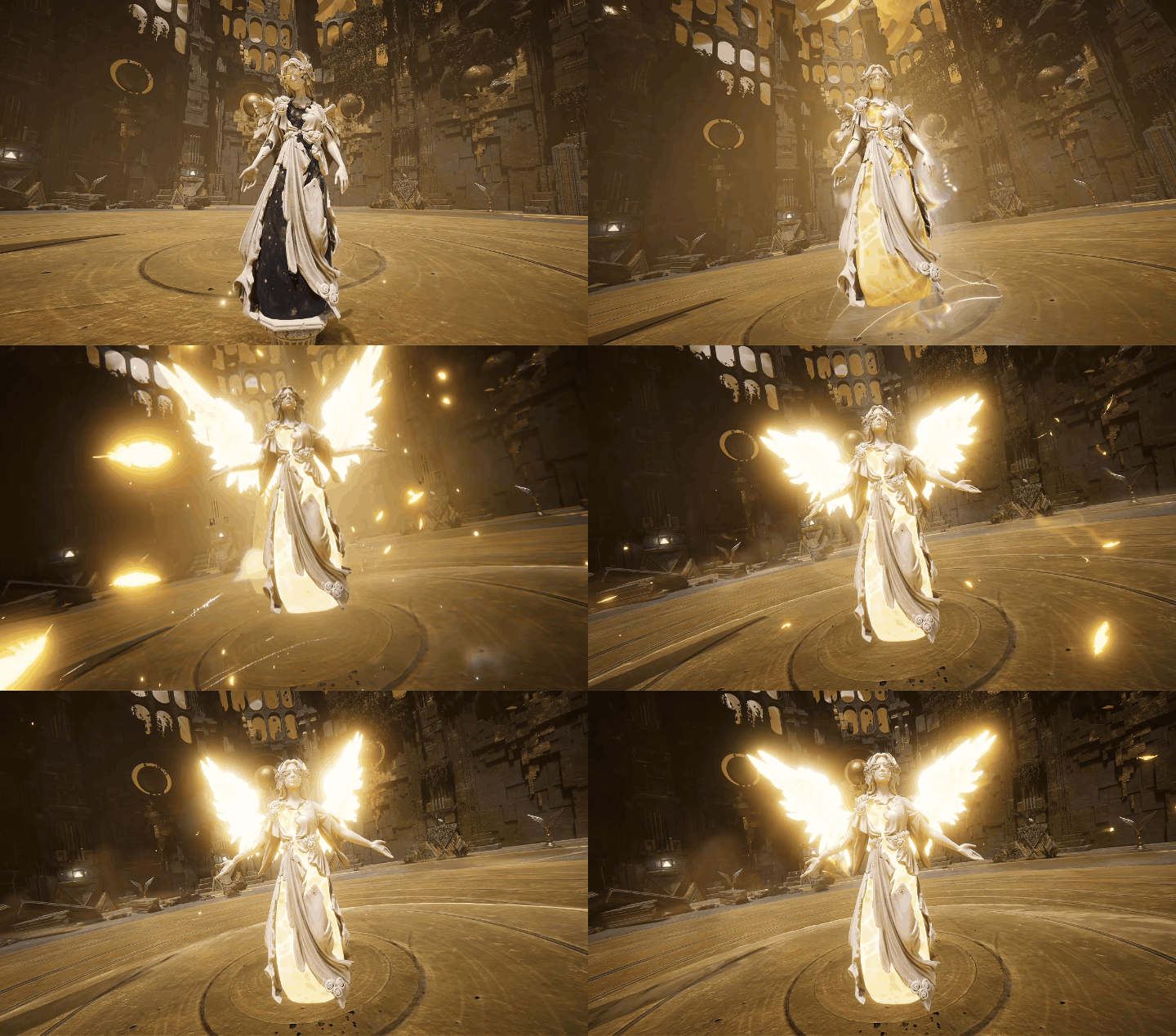
New Combat Deviation: Silent Statue O-079
Deviation O-079 is a grayish-white stone humanoid statue, standing about 1.7 meters tall and weighing around 480 kilograms. Its entire surface is covered in fine, radial patterns that start from O-079-A and spread along its spine to the rest of its body. Material analysis indicates it is made of ordinary granite, but all attempts to extract samples have failed: drill bits shatter about 2 millimeters into the surface, the broken edges alternating between signs of extreme heat melting and rapid freezing. Its face is a blank, uncarved slate.
A spherical zone of silence with a radius of roughly 15 meters exists around O-079. Sound waves cannot propagate within this area, and anyone entering will immediately notice that the "world has been muted". However, personnel inside the zone can still converse normally—post-interviews revealed that the voices they heard were not each other's. The vast majority of those exposed described the experience as "a choir with no lyrics", and unanimously agreed that its source came "from the sky".
O-079's primary anomalous property is its periodic expanding waves. From O-079-A, visible ripples (designated O-079-B) occasionally radiate outward. Wherever these ripples pass, all things briefly experience a violent yet natural phenomenon—either searing heat, freezing cold, or crawling lightning. These three disasters cycle endlessly with no predictable sequence or interval. Living targets touched by O-079-B are often left riddled with wounds, yet individuals who have accompanied it for extended periods remain completely unharmed, as if the ripples recognize them.
Note that O-079 constantly broadcasts its "gospel" indiscriminately. Personnel exposed to its influence for prolonged periods will hear lyrics in their dreams and report thoughts such as "Mother is watching us from the sky", compelling them to reach toward the sky. These psychological effects fade approximately 3 weeks after breaking contact, with no permanent cases recorded.
Battle Skill "Elemental Shift"
Automatically cycles between three keyword effects: Burn, Power Surge, and Frost Vortex. When the battle skill is cast, it emits a spreading wave centered on the target, dealing the corresponding Status DMG and applying the keyword effect.
Ultimate "Elemental Resonance"
Summons a Silent Statue to bless Metas. For every elemental keyword effect the enemy receives, the statue gains the corresponding elemental resonance, increasing the Status DMG of the summoner and their teammates within the area. Gaining all three resonances will significantly boost the keyword damage rate.
Morphed Deviation
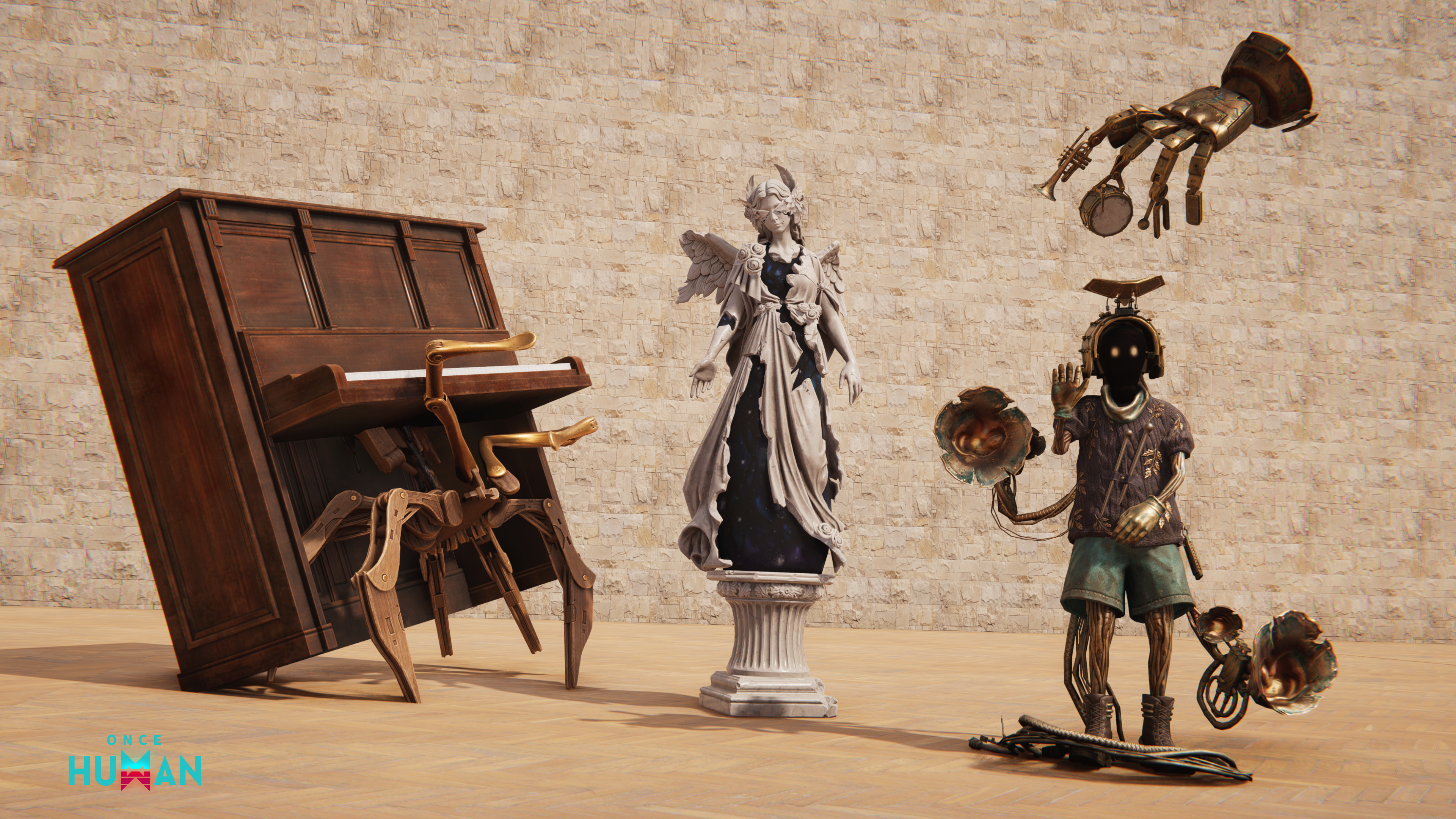
This update adds three new Morphed Deviations: Artisan's Touch - Dissonant Resonance, Wish Box - Dissonant Resonance, and Gazocchio - Dissonant Resonance.
S5 New Suffix Attributes
<Rhythm> Suffix
Increases Weapon DMG. Increases further when HP is high.
Increases Crit DMG. Increases further when HP is high.
Max HP Boost.
Increases damage dealt to all enemies.
<Rhythm Deviant Energy> Suffix
Increases Status DMG. Increases further when HP is high.
Increases Elemental DMG. Increases further when HP is high.
Max HP Boost.
Increases damage dealt to all enemies.
S5 New Event
Events accompanying the Vision will also revolve around gameplay experience and phase objectives, allowing everyone to accumulate rewards as they gradually become familiar with the Movements. Metas can challenge different emotional Echoes in the Tone Range combat, complete the hero's challenge, or collect various Echo Scores to complete the scattered Scores of "The Echo".
Click "Event Interface - Visional Wheel" to participate in the current Vision-related events. The following content will be available this season:
Dissonant Resonance: Metas can learn about the basic rules for this Vision and claim rewards on this page.
Movement Rotation: A weekly event. Challenge each region of the main game mode of this Vision, "Resonant Movements", to accumulate Active Progress and earn rewards such as Weapon Skins and Lightforge Ingots.
Movement Collection: Collect and listen to various scores from different emotional Movements through the Resonant Movements Game Mode. Earn rare rewards based on Collection Progress.
Echoes into Verses: Accumulate Progress by collecting Dissonant Dust to obtain precious rewards such as rare Territory Collectibles and Character Namecard Themes.
Tuning Journey: Complete the Vision's achievement challenges to earn rare rewards such as Mod Crates and Deviations.
Specific event rules, reward content, and claim conditions will be explained in subsequent announcements and on the in-game event page.
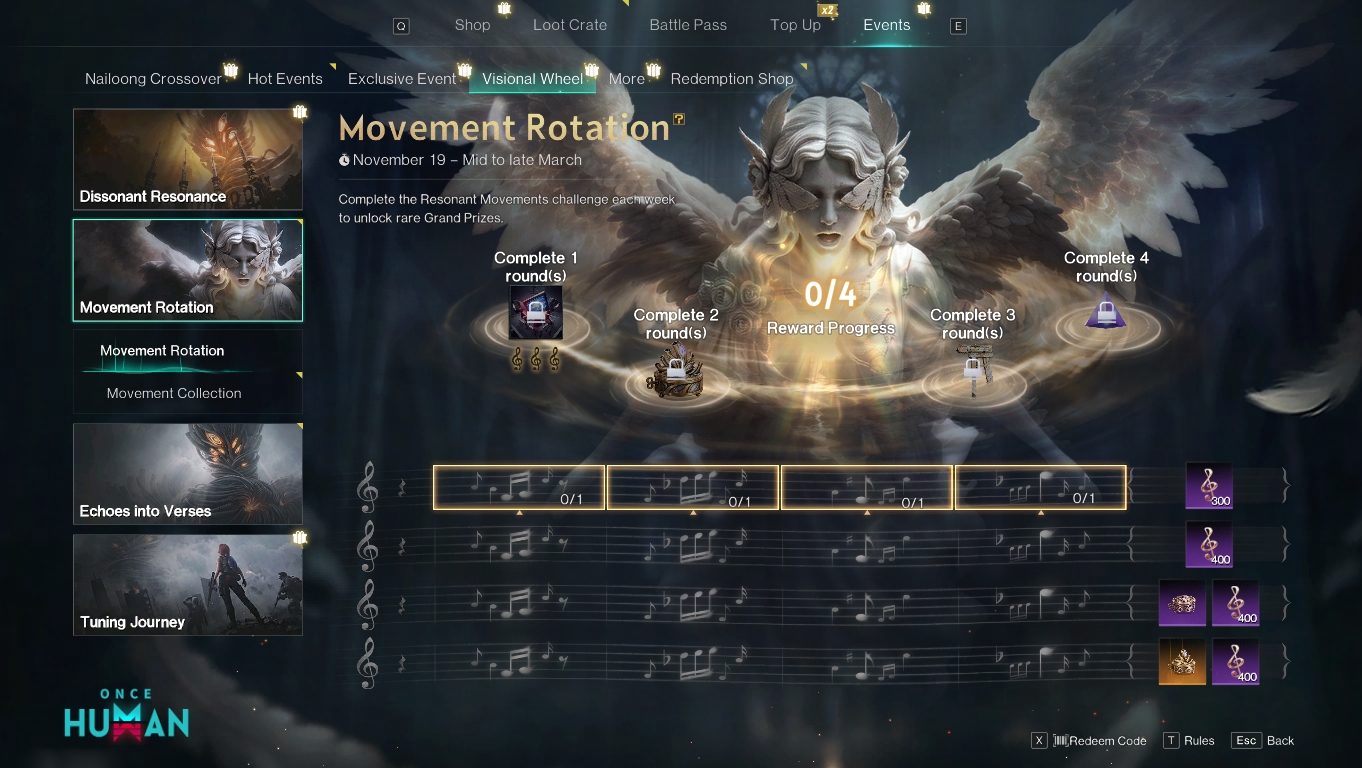
For more details, check the S5 Developer Dev Blog Announcement >>> Dev Blog | Visional Wheel S5 "Dissonant Resonance" Foresight: Rescore the Lost Movement, Face The Echo
Server Opening Schedule
For more details, check the Server Launch Plan Announcement >>> Server Opening Schedule Announcement
Combat Balance Adjustments
Bastille Set Rework
Previously, the Bastille Set had strict trigger and maintenance conditions, making it difficult to use reliably in regular combat. In this update, we've relaxed the conditions required to trigger and maintain the Bastille status and added a continuous healing effect in combat. This helps alleviate the Max HP suppression caused by low Sanity, allowing Metas to handle certain combat encounters with greater ease.
|
Set Pieces
|
Effect
|
|
1 Piece
|
When HP is high, Weapon DMG and Status DMG are increased.
|
|
2 Pieces
|
Reload Efficiency is increased.
|
|
3 Pieces
|
Enter the Bastille state for a period of time after completing a reload or using a healing syringe. While in the Bastille state, Weapon DMG and Status DMG are increased, with an additional boost when HP is high. Hitting an enemy refreshes the duration of the Bastille state.
|
|
4 Pieces
|
While in the Bastille state, the Max HP suppression from low Sanity is reduced, and you continuously gain Armor. When Armor reaches its maximum, all Armor is consumed to restore a portion of HP and grant a shield equal to the Armor consumed.
|
Tactical Combat Boots Effect Adjustment
We've noticed that the synergy between the Tactical Combat Boots and the SN700 - Finale allowed the weapon to continuously fire multiple enhanced tracer rounds. This somewhat exceeded our expectations for the weapon's performance ceiling. Considering both server performance and the multiplayer boss fight experience in the wilderness, we have adjusted the auto-reload mechanic of the Tactical Combat Boots in this update.
|
|
Tactical Combat Boots Key Effects
|
|
Before
|
While in Fortress Warfare, automatically refill 1 bullet per second and Fire Rate boosts by 15%.
|
|
After
|
While in Fortress Warfare, consume Bullet Stock every 2.5 seconds to randomly refill 1–10 bullets. Fire Rate boosts by 15%.
|
Radiance Display and Like Feature Upgrade
Radiance Display Optimization
Radiance benefits have been fully upgraded, with identity indicators and nickname displays upgraded simultaneously:
Identity Indicator Upgraded: All Team Name Decor and Personalized Badge effects have been uniformly updated, improving both recognizability and visual impact.
Radiance Shop New Arrivals: The Radiance Shop now offers a variety of exclusive Settlement Animations, which Metas can redeem as needed.
Character Standing Action Redemption Threshold Lowered: The Radiance Level required to redeem Character Standing Actions has been reduced. Metas are welcome to check it out.
Nickname Color Expansion: Nickname color effects have been added to the Team interface, Dungeons interface, Defeated interface, and Wilderness, so your identity indicator follows you everywhere.
*Also, fixed an issue where nickname colors displayed incorrectly in the Chat interface on some devices.
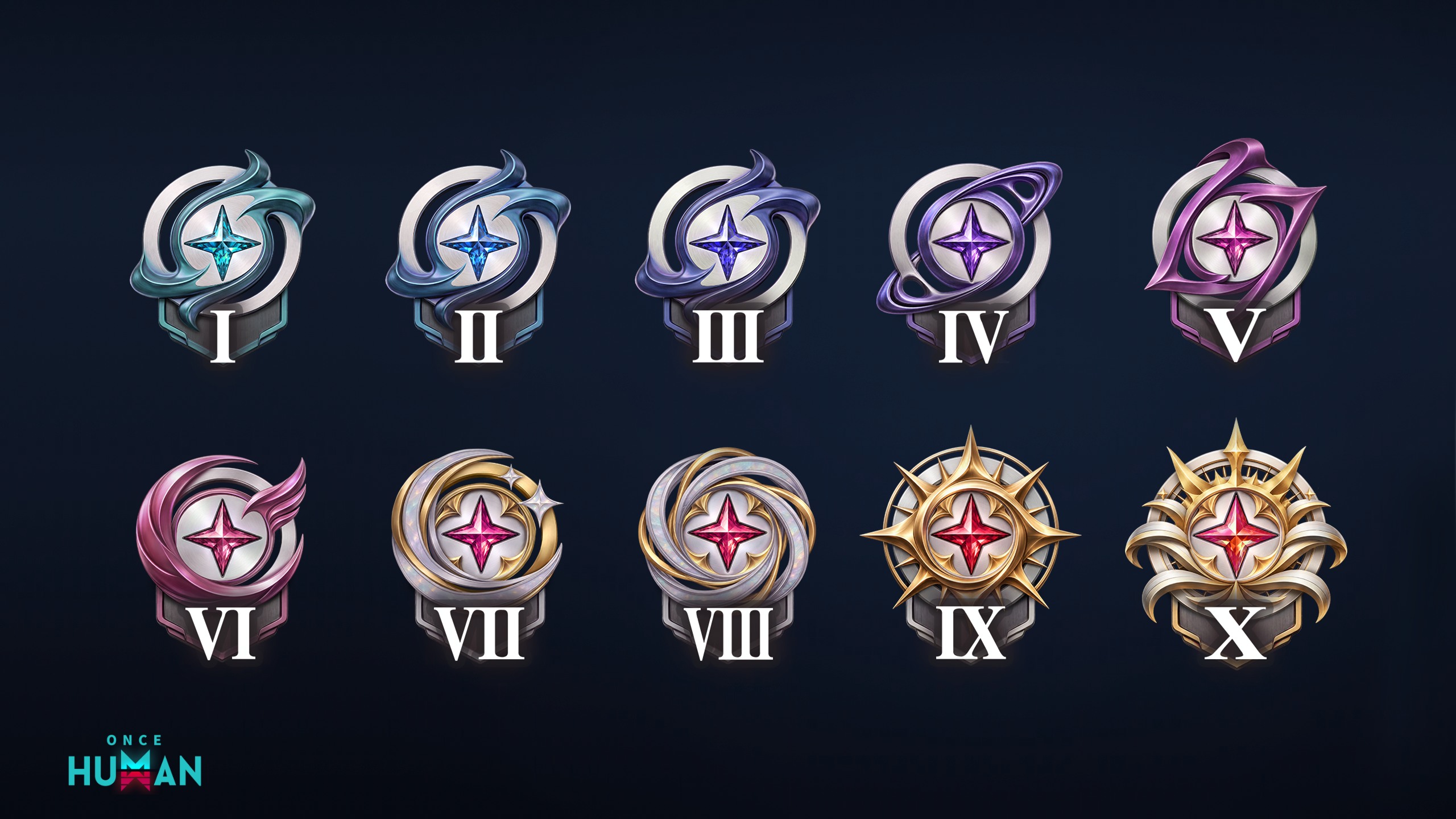
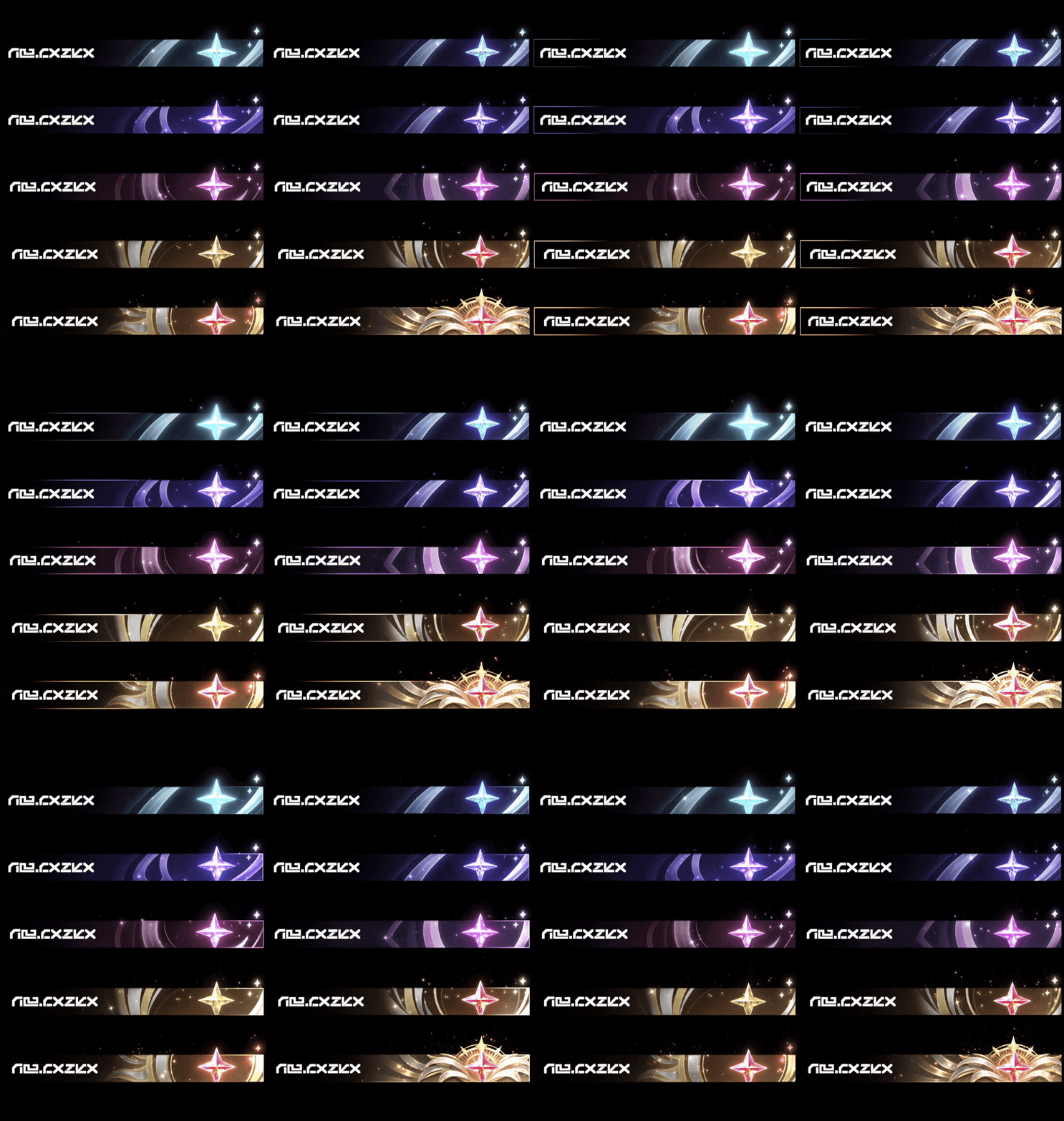
* Content is under development. Final version may differ.
Dungeon Settlement and Character Like Feature Optimization
"Strong? Good. Cool? Better!"
The Dungeon Settlement interface now shines a spotlight on the winner, so the finale is more than just a flash of data:
• MVP Exclusive Settlement Animation: the Dungeon MVP will play a personal close-up, putting their highlight moment in the spotlight!
• Special "Like Combat" and "Like Character" buttons: two separate buttons that let you recognize good plays or just compliment someone's look.
• Quick Skip: Metas can click Next during animation playback to go directly to the usual data panel and quickly start the next match.
Metas can go to the Cosmetics interface and set their equipped Settlement Animation via the Character - Actions and Expression - Settlement Animation (MVP) slots. Players who earn MVP without a settlement animation equipped will not see this showcase segment.
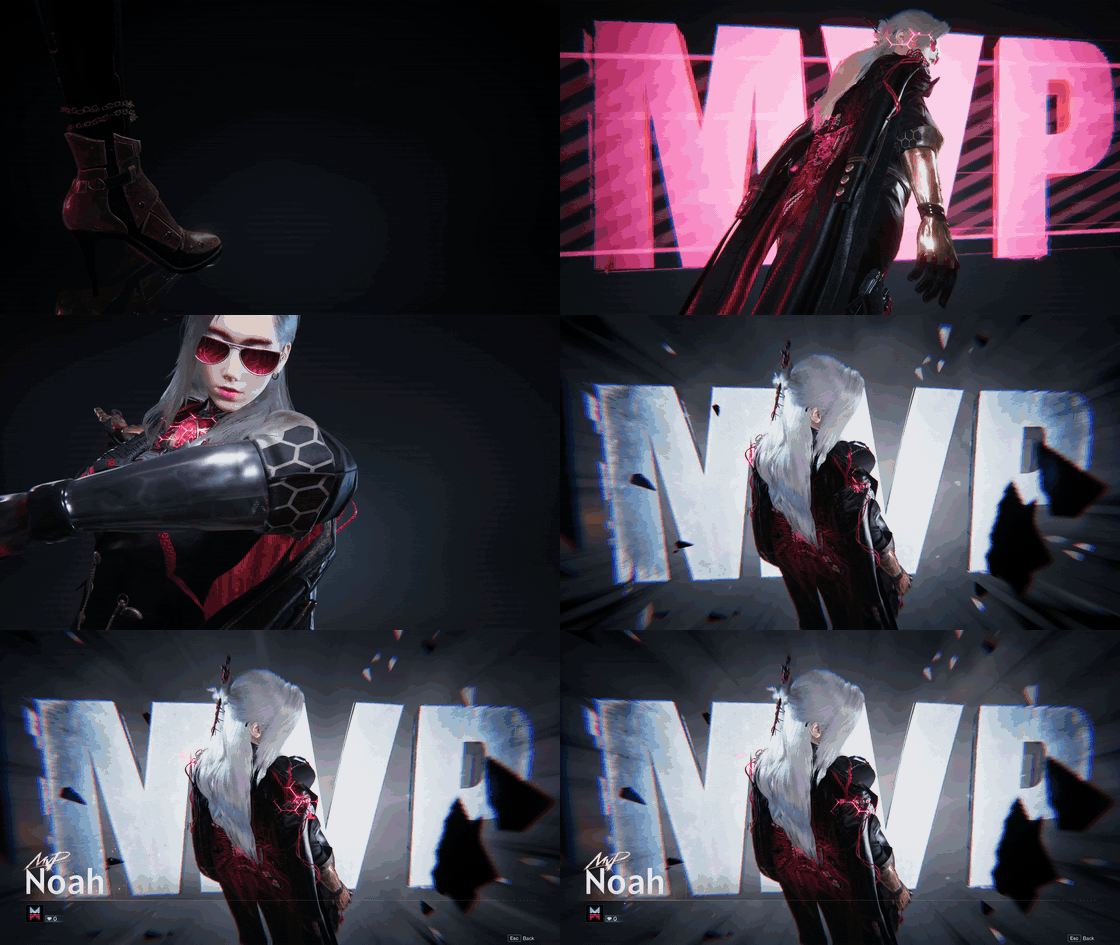
* Content is under development. Final version may differ.
Character Display and Namecard Like Feature Optimization
Available: After the maintenance update on November 18 (PT)
Namecard Quick Like: A new Like button has been added to Namecards, so you can show some love the moment you view someone's Namecard.
Details and Like Back: Click your Like count in the Character Display to see who liked you—and like them back with a single click.
Privacy Settings: A privacy setting has been added to the Character Display, allowing you to manage the visibility of your character display and Radiance badge.
For more details, check the Radiance Dev Blog announcement: Dev Blog | Radiance Update, Identity Indicators Rework & Expansion
New Fashion Custom Dye Options
In this update, certain fashion sets now support custom dye! Metas can now head to the Cosmetics interface and get creative with colors to create outfits that better match your personal style.
The following cosmetics now support custom dye options:
Fashion Sets: Cambrian, Youth Strike, Azure Prelude, Wanderer's Tavern, Cozy Woodland Set, Sunset Brew, Leaping Chorus, Afternoon Latte, Snow Summit, Lightchaser, Distant Memory.
New Shop Arrivals
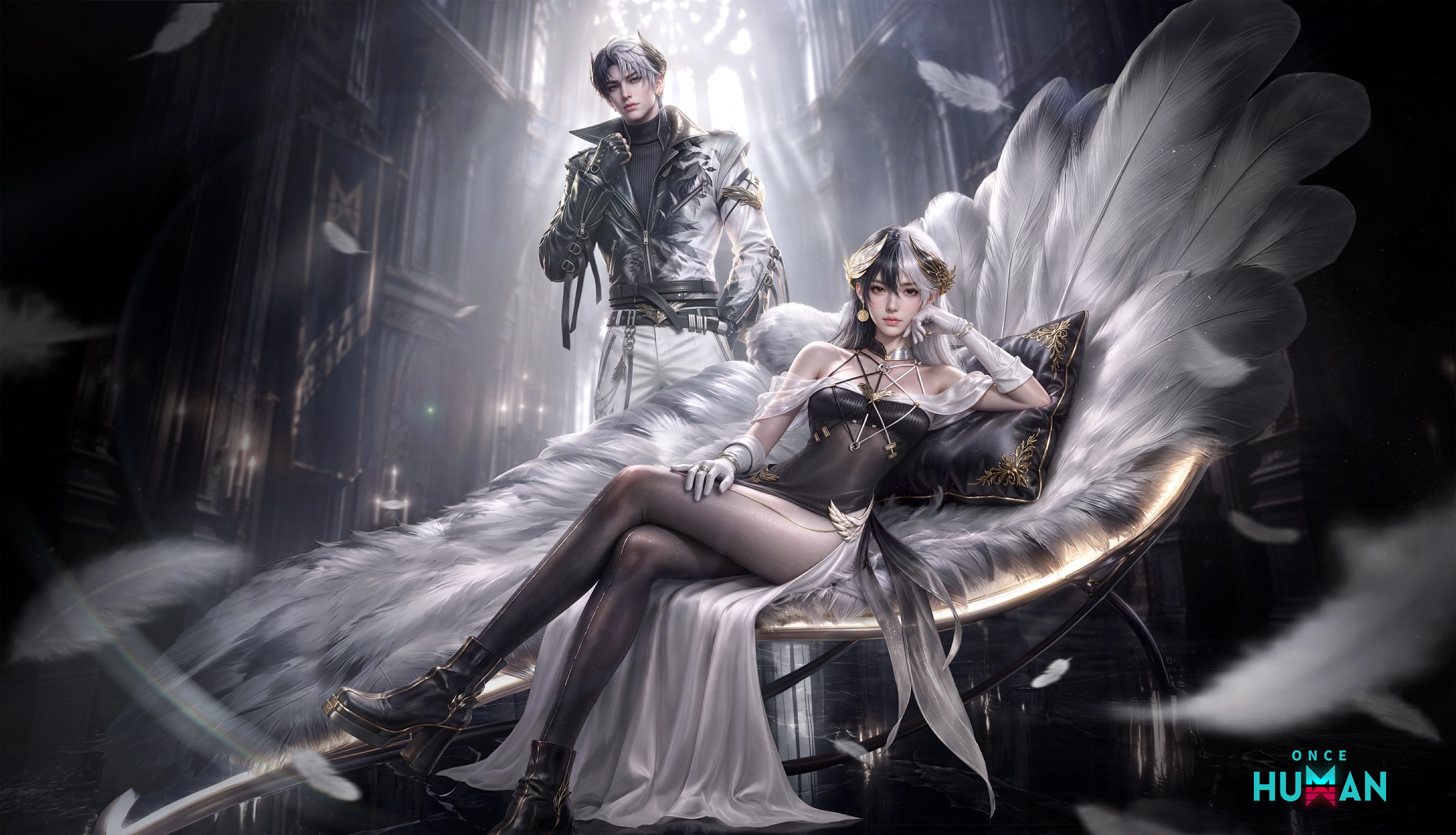
Lightforge Loot Crate: Forsaken Wings is now available for a limited-time!
"Feathers fall to dust. Shadows rise with the light. Only where all is lost does the true self come to sight."
Available: After the maintenance update on November 18 (PT)
Lightforge Loot Crate: Forsaken Wings includes the Shadowlight Prayer fashion set (Legendary), Lost Crystal Vine - SOCR weapon skin (Legendary), Softplume Couch furniture formula (Epic Hype), and Ink-dark Crevice - By-the-Wind Deviation cosmetic (Epic Hype).
• The Softplume Couch interaction has a special rest effect.
Falling is never the end—it's just another chance for your wings to spread...
For more details, check the Lightforge Loot Crate announcement: Once Human Lightforge Loot Crate Probability Announcement
Lightforge Legacy: Limited-time redemption is now open
A limited-time Lightforge Collection Redemption event is now live in the Always-On Lightforge Loot Crate section! Weapon skins from past crates are all coming back—so Metas can grab the weapon skins they missed, all in one go!
• More Rare items: a huge wave of weapon-skin Lightforge Collections has been added, covering a wide range of gun types. Whatever your main weapon is, there's a good chance the one you want will show up in the exchange.
• Original Price: the exchange currency and prices for this redemption are the same as when they first launched, so Metas can purchase at the original price, just like the first time.
Shop Returns
Available: After the maintenance update on November 18 (PT)
"What you missed will always come back."
A large number of past cosmetics are returning for a limited time, with different items every week!
• Week 1: The Doomsday Lifestyle Theme Pack returns for a limited time! Includes Fashion Sets, Vehicle Skins, and more. A variety of cosmetics return at a discount, up to 45% off!
• Week 2: The Collection Theme Pack leads the return, with more Territory and Weapon Skins also returning at discounted prices. Come check them out on time!
• Limited-time: Go to Shop - Flash Sale page to view all returning cosmetics for the current season. Mark your calendar and don't miss out.
Follow-up New Arrivals
Combo Crate: Midnight Fairytale
"When the clock strikes midnight, the fairy tale truly begins."
Release Date: November 25 (PT)
The Fragment Combo Crate: Midnight Fairytale is now available! It includes rich rewards such as "Midnight Fairytale", "Color Noise Circuit - QBJ97", and "Crimson Dream Lantern".
Pull once for just 30 Crystgin—and your first pull gets a discount! Each pull randomly grants a blind box cosmetic or blind box fragments, with the limited cosmetic "Midnight Fairytale" guaranteed within 80 pulls! You can also save up blind box fragments across seasons and exchange them in the shop for a limited grand prize.

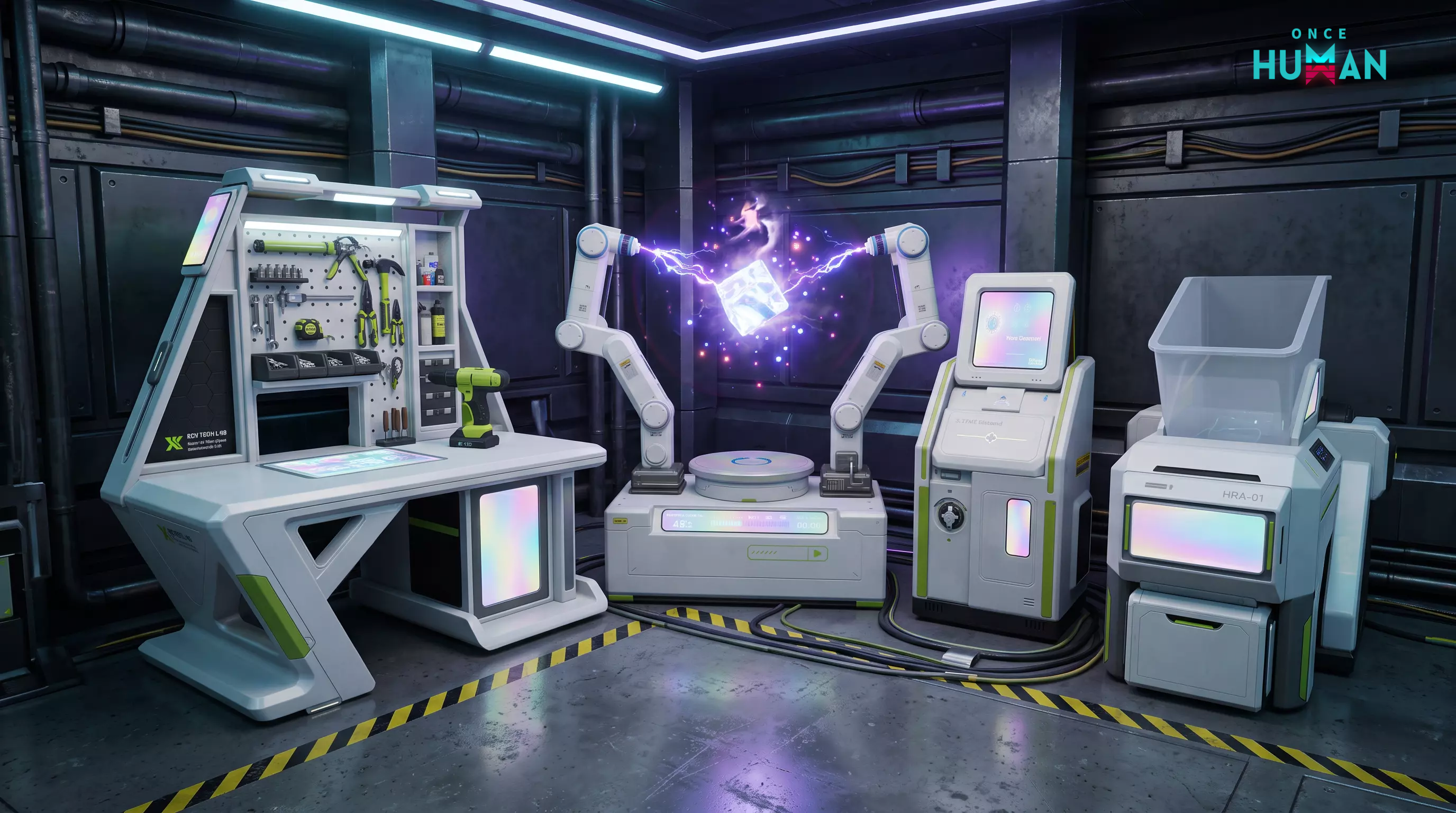
Iridescent Workshop
"Paint the workshop like a rainbow—even old facilities deserve a fresh new look."
The Epic facility cosmetic set "Iridescent Workshop" is now available, featuring three Facility Cosmetics in one set: "Tech Research Workbench - Iridescence", "Disassembly Bench - Iridescence", and "Supplies Workbench - Iridescence".
Bright, youthful colors sweep across your territory, giving every facility you pass a fresh new look.
Experience Optimizations
Social
[PC] Voice input is now supported in chat
To help Metas communicate more smoothly during intense combat, immersive exploration, and focused building, we've fully upgraded the PC chat experience! Channel chat, direct messages, and group chats now all support voice input. When typing isn't convenient, you can send messages with your voice instead—cutting down the hassle of communication and making teamwork smoother than ever!
*After the update, PC players can now hear voice messages from mobile players.
Discord social features get a full upgrade
To help Metas team up with friends more easily than ever, we've fully upgraded the cross-platform social experience! Now you can break down platform barriers and rally your squad faster:
Console linking: PlayStation and Xbox now fully support Discord account linking.
Easy team-up: PC and Mobile players can now send squad invites to friends directly through Discord. No matter what platform your teammates are on, a single click is all it takes to call them into your squad and explore the dangerous wilderness together!
Wilderness Exploration
[Isles of Abyss Scenario] Calamity Tower Experience Optimization
We've added an Updraft Cannon at the base of Calamity Tower. Now, after completing the challenge, Metas can ride the airflow to reach the loot cratess more smoothly and conveniently, making exploration flow much better.
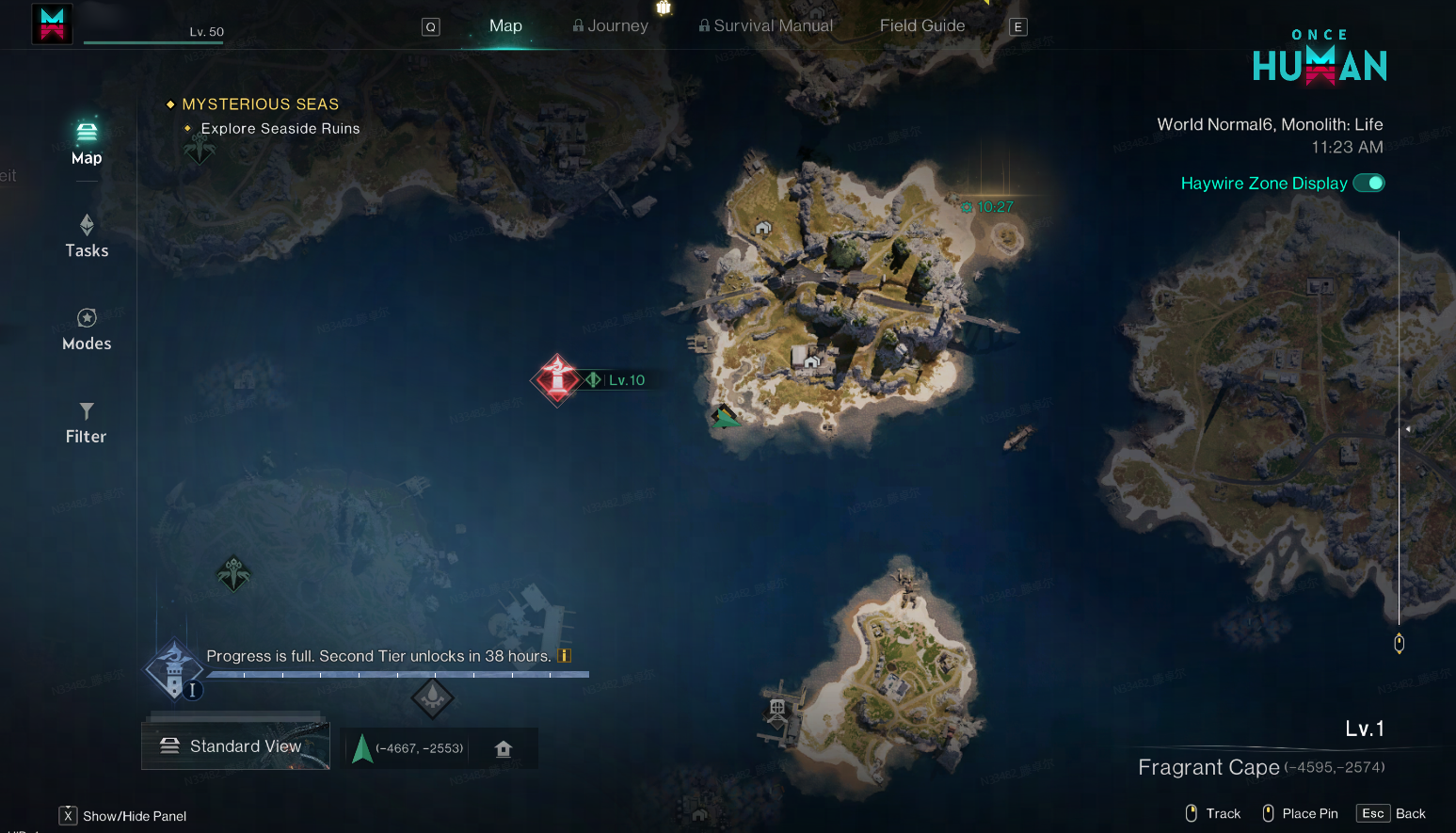
[Isles of Abyss Scenario] Scenario Progress Display Optimization
Improved the world map text display for when Scenario Progress is full. Now, once the current phase's progress is maxed out, the world map will directly show the countdown to the next phase. This helps Metas track the Scenario's progress at a glance and plan their exploration and prep for what's next.
Settlement Enemy Spawn Pacing Optimization
After this update, "Acting Physician" and "Sonivore" will appear less often in settlements, and we've adjusted where they show up in some settlements. We hope this change helps Metas plan their scavenging and settlement exploration routes more comfortably.
Cosmetics
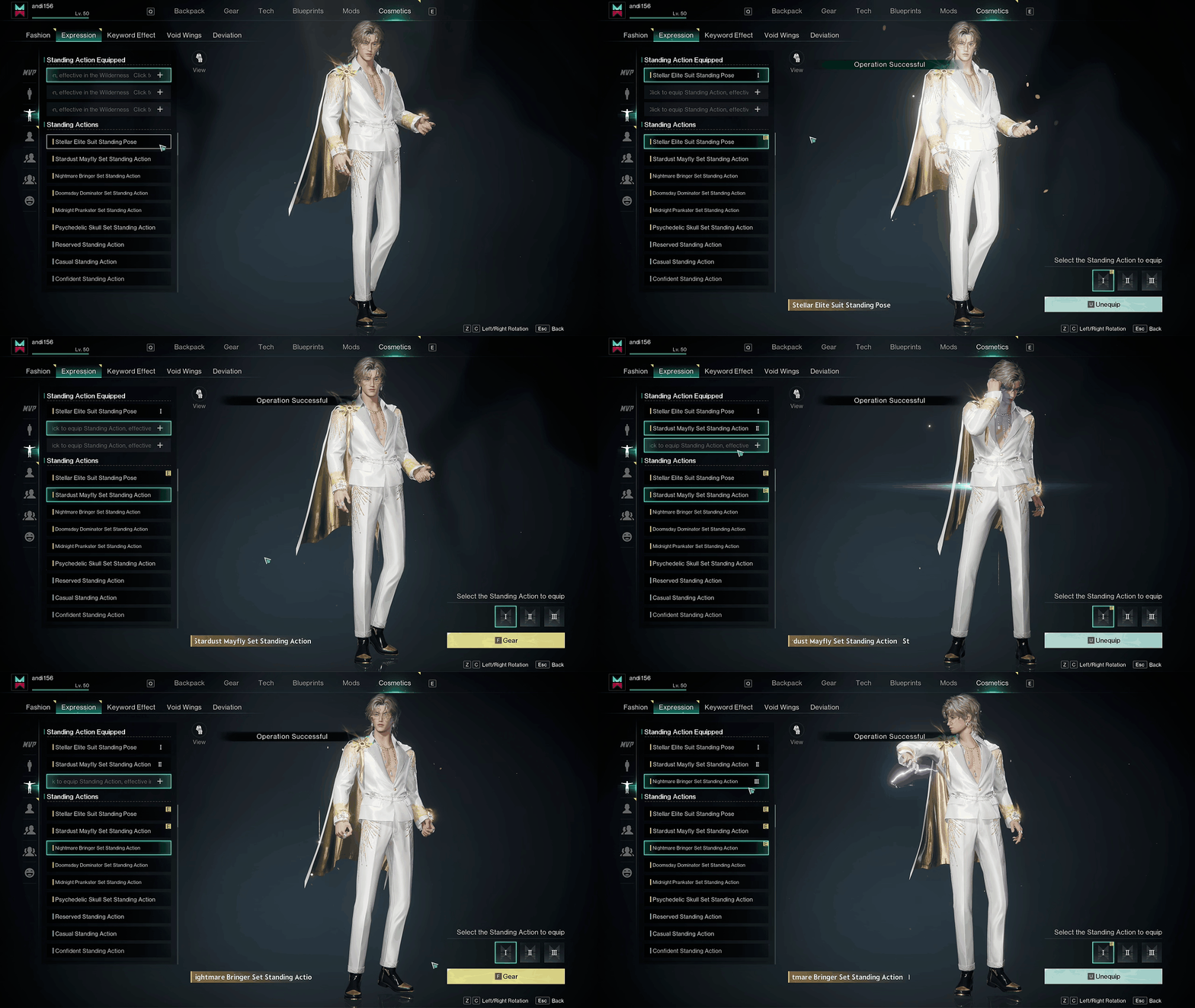
Mix and Match Standing Actions
Standing actions in the wilderness are no longer tied to specific sets—you can now equip up to 3 Standing Actions! Head to the [Standing Actions] screen to customize your own combo, mix and match to your look and photo needs, and create a freer way to show off your character.
Garage Display Interface Redesign
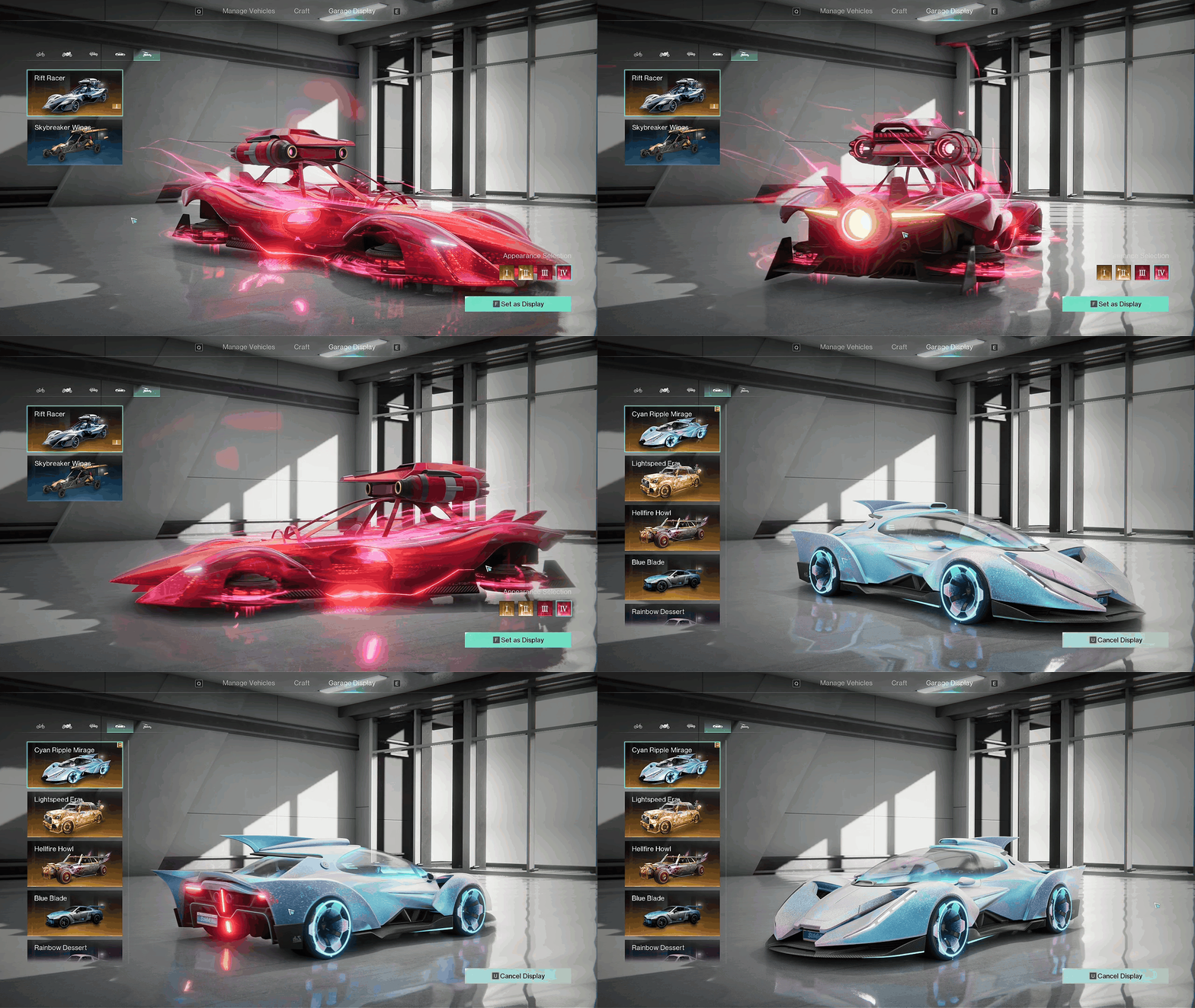
We've fully optimized the garage display interface. Metas checking out their favorite rides will now get a clearer, higher-quality visual experience! Vehicle materials, body details, and display angles are all more intuitive now, so you can admire and pick from your vehicle collection from every angle—no blind spots.
Vehicle
Vehicle Exit Position Optimization
To make Metas' journey through the wasteland smoother, we've improved the logic that determines where you exit a vehicle. Now, if the default exit spot is blocked by walls, rocks, or other obstacles, your character will automatically find and appear in a safer, more suitable position. This change greatly reduces cases where rough terrain blocks your exit, gets you stuck, or forces you to keep repositioning your vehicle.
[Isles of Abyss Scenario] Manual Anchor Drop Added to Water Platforms
To help Metas control how their water platforms dock and sail with greater ease and flexibility, we've added a "manual anchor drop" mechanic in this update. Say goodbye to drifting and pin your water base down exactly where you want it!
Requirement: For physics and safety reasons, you can only drop the anchor manually when the water platform is traveling under 14 km/h. (The button won't work if you're going too fast—so be sure to slow down first!)
How to use:
PC: Press Spacebar to drop anchor.
Console/Controller: Press X to drop anchor.
Mobile: Tap the Handbrake button on screen to drop anchor.
[Isles of Abyss Scenario] Water Platform Grounding Alert Optimization
To make Metas' time on the water smoother, we've added a grounding alert for water platforms. Now, if your platform runs aground while you're still trying to power through or steer, the system will clearly let you know. This helps you read the situation at a glance and adjust your controls in time to get unstuck and keep moving!
[Isles of Abyss Scenario] Mobile Water Platform Button Layout Optimization
Previously on the mobile water platform interface, the Auto-Navigate and Summon Vehicle buttons were placed too close together, causing them to overlap in certain situations and leading to mis-taps. In this update, we've adjusted the position and tap area of these buttons to reduce mis-taps, making Auto-Navigate and Summon Vehicle controls clearer and more reliable.
RaidZone
[RaidZone] Mode Stardust Ore Balance Adjustments
To ensure fair and strategic combat, we've capped the damage from Stardust Ore in [RaidZone] mode at a maximum of 100.
Mobile/Controller
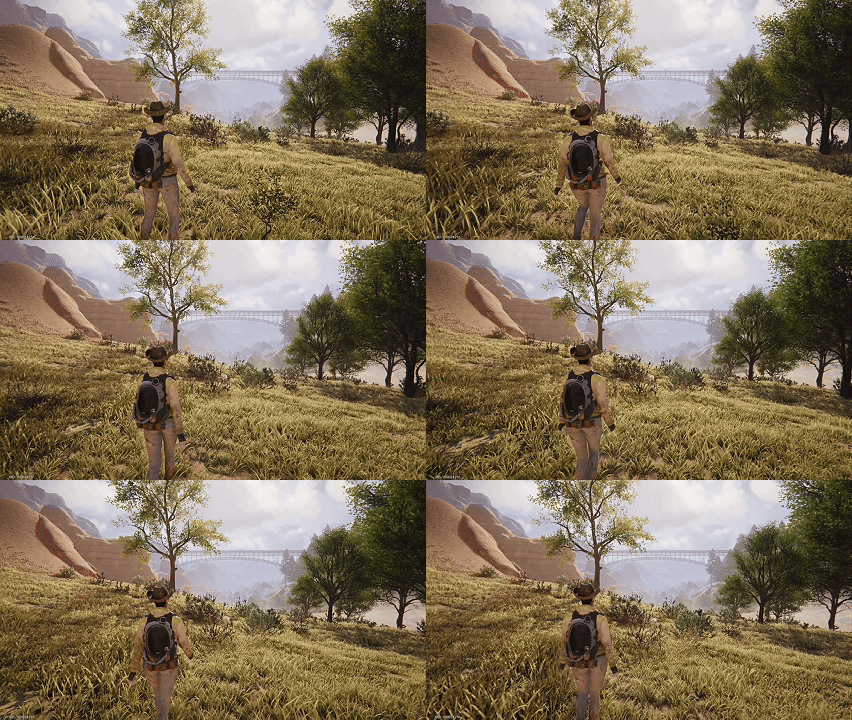
New Stick Movement Start Preference Added
To accommodate different playstyles, we've added a "Stick Movement Start Preference" option in the settings. You can freely switch between them based on the situation:
Fast Response (Default): Keeps the current agile controls. Push the stick to start moving instantly, helping you get the drop on enemies in intense combat and quick footwork.
Immersive Realism: With this mode selected, lightly pushing the stick on a controller or mobile device makes your character smoothly transition into a "walk". Whether you're strolling through camp or cautiously exploring the unknown, it delivers a more immersive, realistic movement experience.
Backpack
Portable Fridge Icon Display Optimization
We've adjusted the item icon for the [Portable Fridge] in your backpack. Now, when organizing your backpack or searching for survival supplies, it's much easier to spot the Portable Fridge at a glance—boosting your everyday exploration and prep efficiency.
Combat
SOCR Series Rifle FOV Optimization
To deliver a smoother combat experience, we've adjusted the first-person running and sprinting animations for the SOCR series rifles. With this update, your weapon will block much less of your screen when you're running, giving you a wider field of view to charge in and spot enemies with ease!

Weapon Fire Rate Anomaly and Fairness Adjustments
Recently, we've noticed that some Metas are using third-party devices, such as mouse macros, along with rapid view-switching to boost the fire rate of certain weapons beyond their intended limits. After reviewing the issue, we've determined that this is an anomaly caused by unintended inputs, rather than a normal weapon mechanic or combat skill.
On one hand, this method requires specific hardware and setups that most players can't reliably pull off, which creates an unfair playing field for Metas. On the other hand, rapidly switching views this way negatively impacts combat feel and client stability. Therefore, we're addressing this issue in the current update. After the adjustment, repeatedly switching views will no longer cause an abnormal fire rate increase.
We always respect and encourage players to dig into game mechanics, hone their skills, and discover better combat strategies. But we also want those strategies to be built on a foundation that's fair, learnable, and accessible to everyone. Maintaining a fair and healthy combat environment is an ongoing commitment for us. Thank you for your understanding and support, Metas.
Throwing Dagger Hit Feedback Optimization
To enhance combat immersion and the feeling of impact, we've restored the visual effects when throwing daggers hit their target. Now, when your throwing dagger lands a precise hit on an enemy, the weapon will stick into the target for a short time. Every throw delivers a sharper, more satisfying hit feedback!
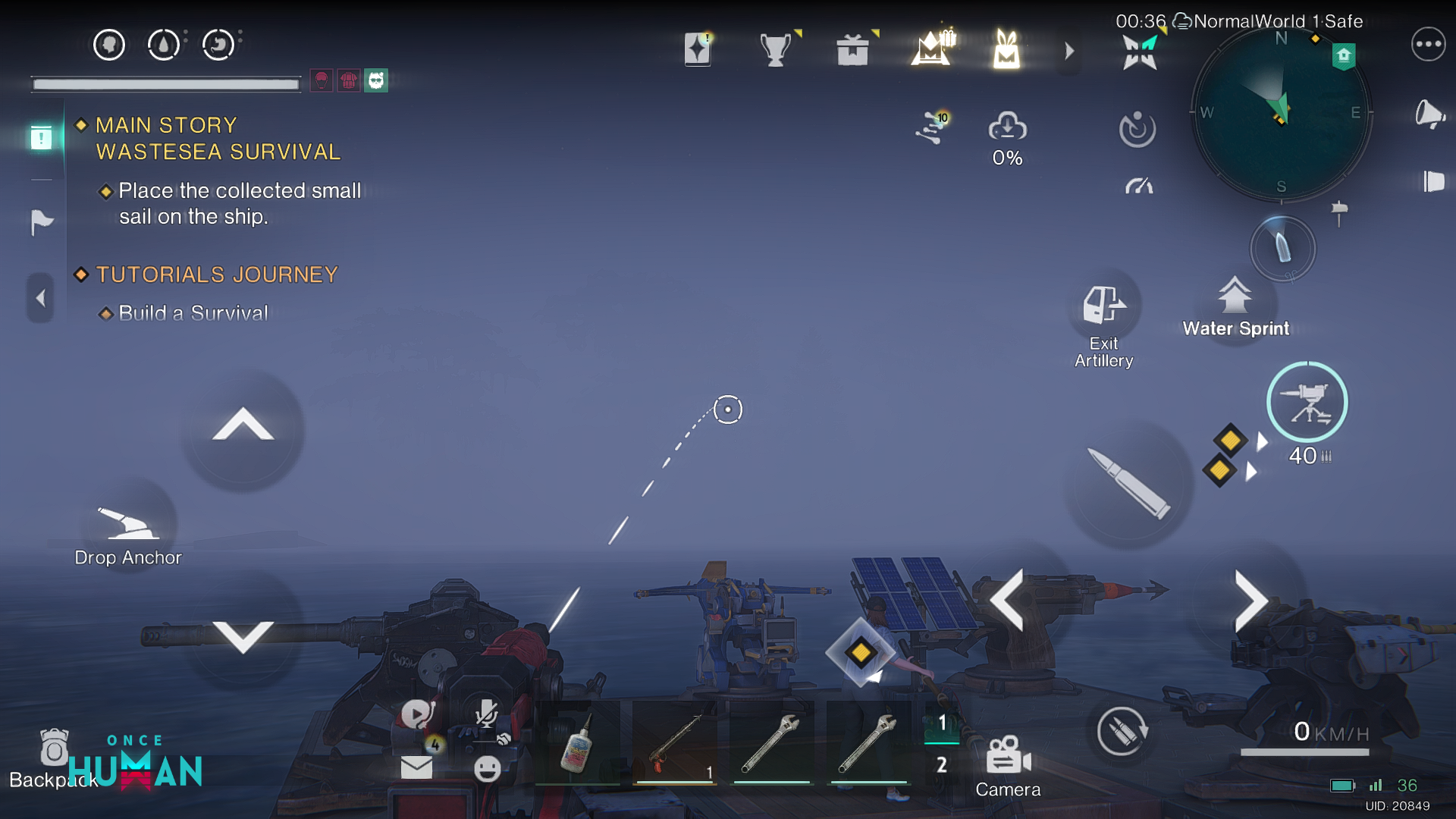
[Isles of Abyss Scenario] Water Platform Combat UI Optimization
Optimized the Turret button display when driving the Water Platform on Mobile. Now, after entering firing mode, the Turret and Ammo information will no longer block the Hotbar, helping Metas more clearly and intuitively manage combat and Item information during intense water battles and fire freely!
Optimized the Turret button display when driving water platforms on mobile. Now, when you enter firing mode, turret and ammo info will no longer block your hotbar—helping you keep track of combat and item info during intense water battles, so you can fire away with ease!
Bug Fixes
Cosmetics
Fixed an issue where the vanish effect for the Nailoong Void Wings skin sometimes failed to display correctly.
Tech (non-RaidZone only)
1. Fixed an issue where Tech search would block the search results.
2.Fixed an issue where the [Naval Mine] did not display correctly in the Tech system interface, making it impossible to craft.
Combat
1. Fixed an issue where SOCR - Cosmic Visitor's attacks sometimes failed to deal damage to Calamity Hatchlings under certain circumstances.
2. Fixed an issue where some weapons were missing visual effects when attacking Calamity Hatchlings.
Once Human Development Team