Dear Metas,
Once Human's brand-new survival scenario, Isles of Abyss, officially launches on October 21 (PT)! To help you prepare, here is the server opening schedule.
For more details about the scenario, please check: https://www.oncehuman.game/news/devBlog/20261016/40781_1316818.html
1. Isles of Abyss Server Opening Schedule
1.1 Server Opening Schedule Announcement
After the version update on October 21, 2026 (PT), the system will open Isles of Abyss servers that Metas can join right away. See the schedule below:
|
Region
|
First Batch of Servers
|
Server Name
|
First Batch Opening Time
|
|
North America, Europe
|
4
|
Isles_Abyss-X0001
Isles_Abyss-X0002
Isles_Abyss-X0003
Isles_Abyss-X0004
|
Opens immediately after version update
|
|
South America, Japan, Korea, Southeast Asia, HK & MO & TW
|
2
|
Isles_Abyss-X0001
Isles_Abyss-X0002
|
Opens immediately after version update
|
Note:
Additional Server Plan: To ensure all Metas can experience Isles of Abyss, we will open new servers as needed based on the remaining capacity of existing servers. Feel free to choose a server and jump in!
Sign Up: We will ensure sufficient servers are available when the scenario officially launches on October 21 (PT). Meanwhile, Isles of Abyss sign-ups will not be available in advance—once servers are open, you can enter directly through the scenario sign-up interface.
Server Worlds: Isles of Abyss has 12 worlds per server.
Vision Schedule: When Isles of Abyss officially launches on October 21 (PT), the scenario will not include a Vision tag. Later, alongside the S5 Vision release, the Vision World for Isles of Abyss servers will open.
Permanent Server Schedule: The permanent server for Isles of Abyss will open before the first batch of servers closes, ensuring all Metas can merge into the permanent server. It is expected to open on November 18, 2026 (PT).
1.2 Sign-Up and Entry Guide for Isles of Abyss Servers
There are multiple ways to enter and experience Isles of Abyss servers. Follow the guide below to choose the method that suits you best.
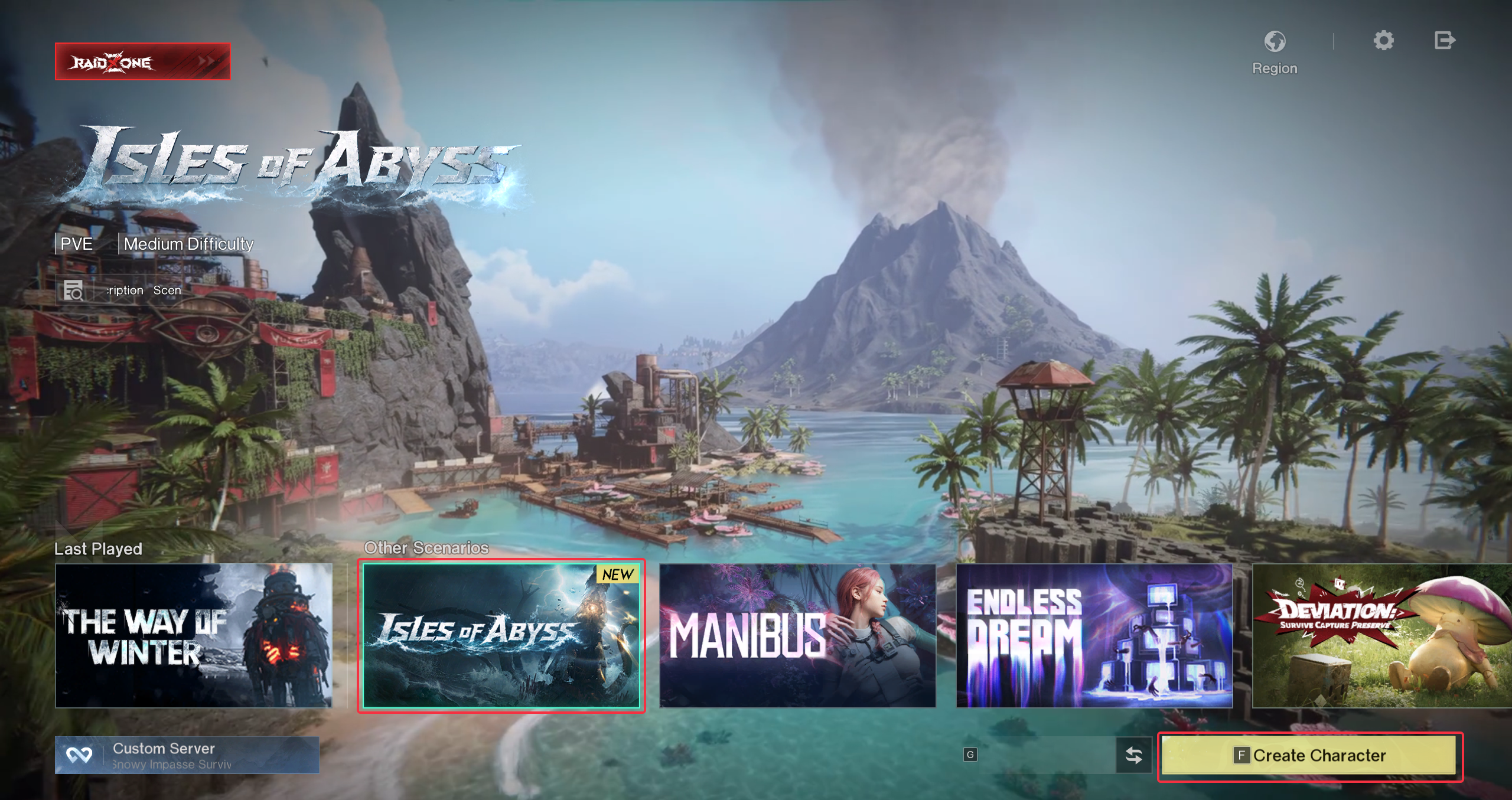
1) If you do not want to end your current scenario experience, you can choose to create a new character. After completing new character creation and skipping the New Player Experience, go to the Scenario Selection interface, select [Other Scenarios] - [Isles of Abyss] server, and enter to play.
New Character Creation Flow Instruction:
2) If the scenario of any of your characters has entered the Rest Period and you want to experience a new scenario, you can use the [Menu] - [Scenario] - [Go to Sign Up] system to sign up and travel to the [Isles of Abyss] server.
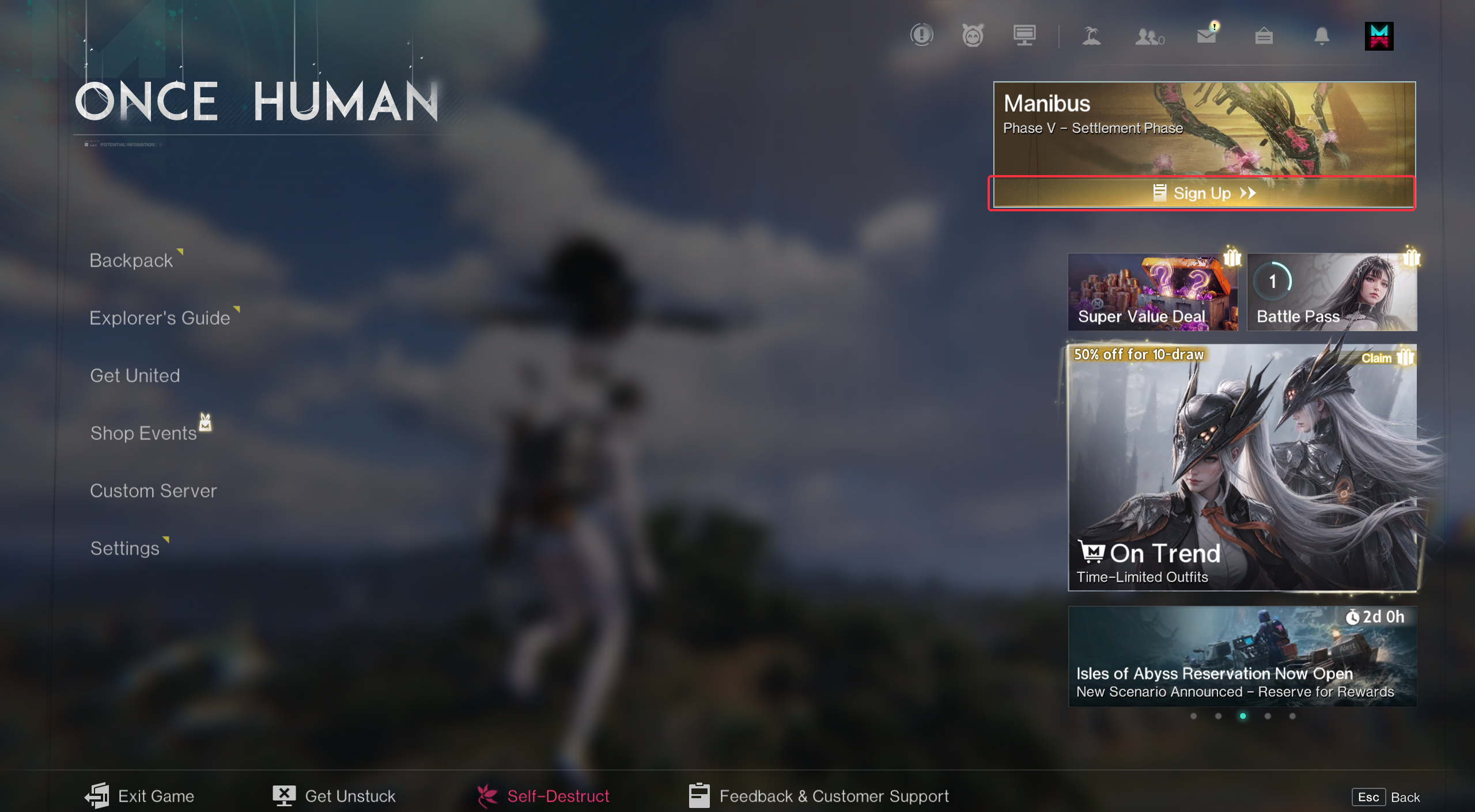
Note: After signing up to transfer to the new server, that character's level, supplies, and other data will undergo scenario settlement and restart in the new scenario! Cross-character sharing data such as Character Cosmetics, Blueprint Level, and Mod Level will not be settled or cleared.
3) If you want to play Isles of Abyss with friends, please refer to the guide below:
Whether you choose to create a new character or sign up to join, be sure to agree on a server with your friends. In the [Scenario Selection] - [More Servers] window, select the server you agreed on and join.
Team up in advance and sign up as soon as the servers open—your squad is guaranteed to enter the same server.
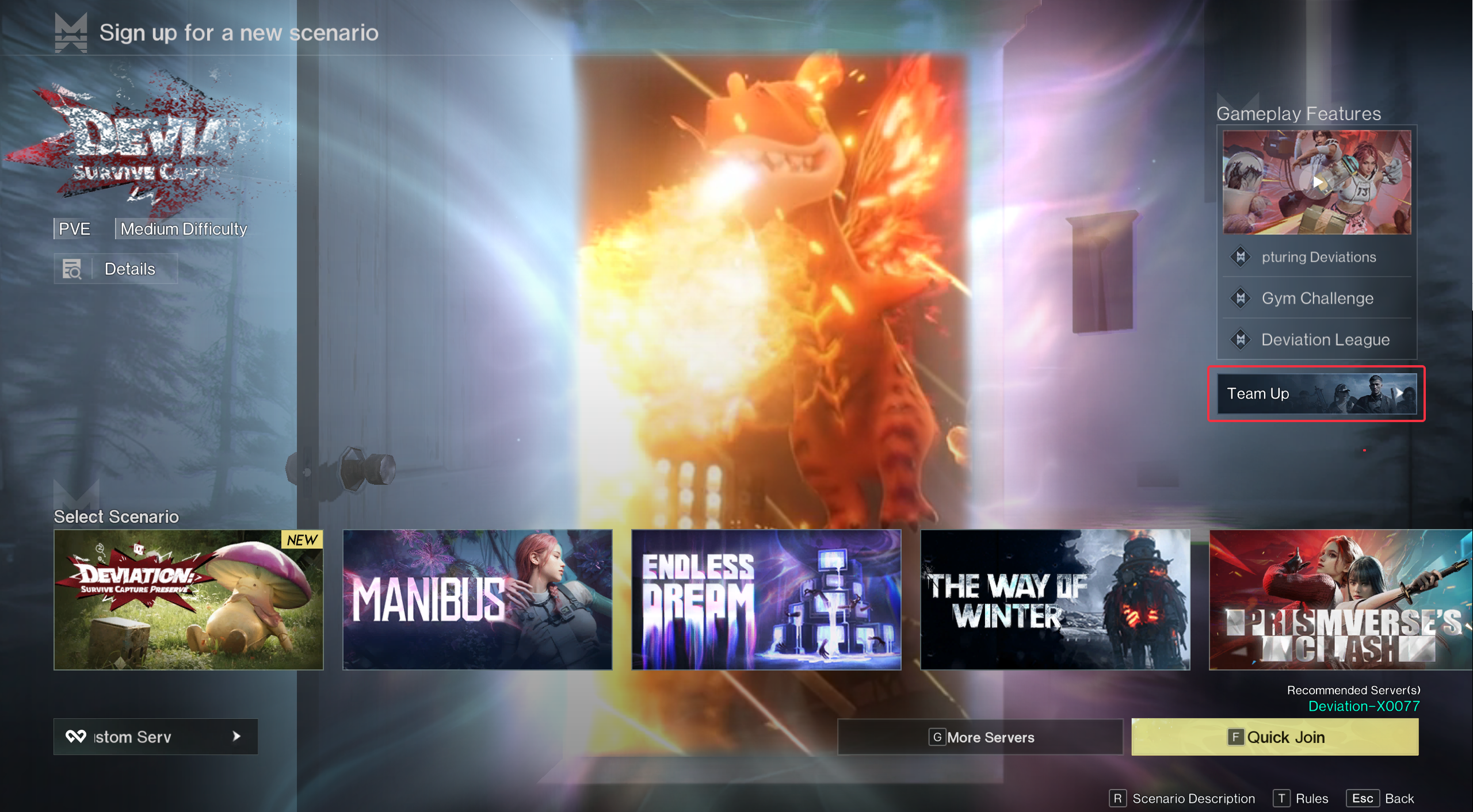
You and your friends can use the team-up platform in advance to form a sign-up squad. Once the servers open, the squad leader can sign up for an Isles of Abyss server. After signing up, all squad members are guaranteed to enter the same server.
Team-Up Platform Entry: Menu - Scenario - Sign Up Interface
Note:
1. Only characters with the sign-up system enabled can join a Scenario Squad. The sign-up system will be enabled during the final phase of the scenario.
2. Characters who have already signed up for a permanent server merge reservation cannot join a Scenario Squad. It is recommended to cancel the reservation before applying to join.
3. If you find that a character on the permanent server cannot join a Scenario Squad, please leave your Hive first and then join again. This issue is currently being fixed.
4. Each character can only join 1 Scenario Squad.
Server is full, enter using your friend's server invitation code.
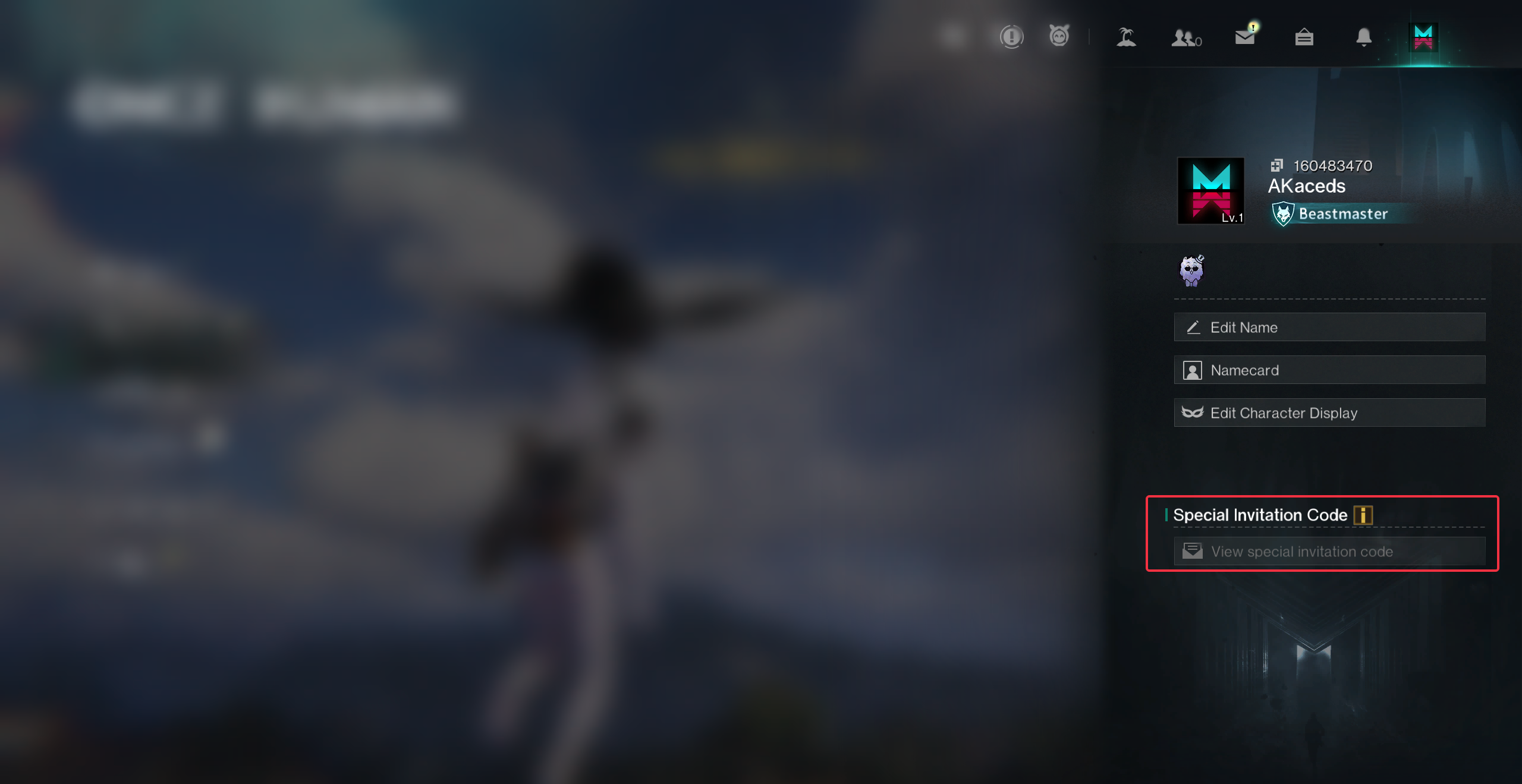
If your friend has already entered an [Isles of Abyss] server and that server is full, they can share a [Special Invitation Code] so you can join using the code.
How to check the Invitation Code: [Player Info] - [Special Invitation Code]
If you are on an Xbox device, you can also invite friends to quickly join your [Isles of Abyss] server through your console's friend list. (This feature is currently in development for PS5 and will be released as soon as possible.)
II. [Isles of Abyss: RaidZone] Server Opening Schedule
With the launch of Isles of Abyss, Once Human: RaidZone will also open [Isles of Abyss: RaidZone]. The server opening schedule is as follows:
|
Region
|
Server Name
|
Server Count
|
First Server Opening Time
|
Reopen Cycle
|
|
North America, Europe
|
RaidZone_Isles_Abyss-A0001
|
1
|
Opens immediately after version update
|
Biweekly
|
|
North America, Europe
|
[Console] RaidZone_Isles_Abyss-A0001
|
1
|
Opens immediately after version update
|
Biweekly
|
|
South America, Japan, Korea, Southeast Asia, HK & MO & TW
|
RaidZone_Isles_Abyss-A0001
|
1
|
Opens immediately after version update
|
Biweekly
|
Note:
Servers with the [Console] prefix are console-exclusive servers, available only to players using console devices.
We'll also open new servers as necessary based on server performance.
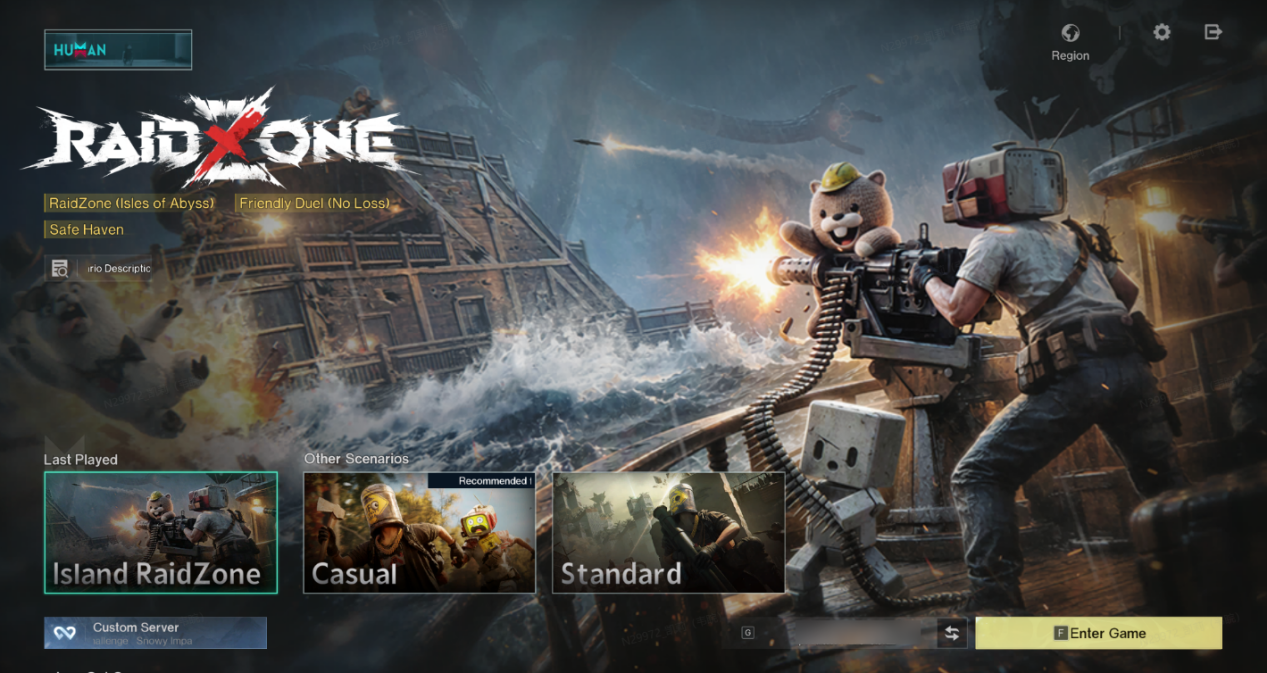
[Isles of Abyss: RaidZone] requires switching to [RaidZone] mode in the upper-left corner of the character sign in page, and selecting the corresponding server to enter.
That's all for this announcement. For actual server opening times, please check in-game.
Once Human Development Team